

KubeBlocks for
MySQL
MySQL is the world's most popular open-source relational database, trusted by millions of applications for its reliability, performance, and ease of use. It powers everything from web applications and e-commerce platforms to enterprise data warehouses.
Supported versions
Available on
 AWS
AWS Azure
Azure GCP
GCP OCI
OCI Alibaba Cloud
 Rancher
 OpenShift
Databases
 MySQL
MySQL PostgreSQLOracle
 SQL Server
 Redis
Redis MongoDB
 ClickHouse
Vector & AI
 Qdrant
 Milvus
 Elasticsearch
Message queues
 RocketMQ
 RabbitMQ
 Kafka
KafkaOthers
 VictoriaMetrics
 InfluxDB
 etcd
etcd ZooKeeper
Extend database engines like plug-ins
KubeBlocks provides unified database operations through its addon-based architecture. With KubeBlocks Enterprise, access over 15 seamless integrations to scale your database services.
One control plane, consistent operations across all engines — powered by the addon mechanism.
Run MySQL through real lifecycle, availability, scaling, and recovery workflows
Operate MySQL through lifecycle, high availability, scaling, tuning, backup, observability, accessibility, audit, and data management workflows backed by real KubeBlocks Enterprise screenshots.
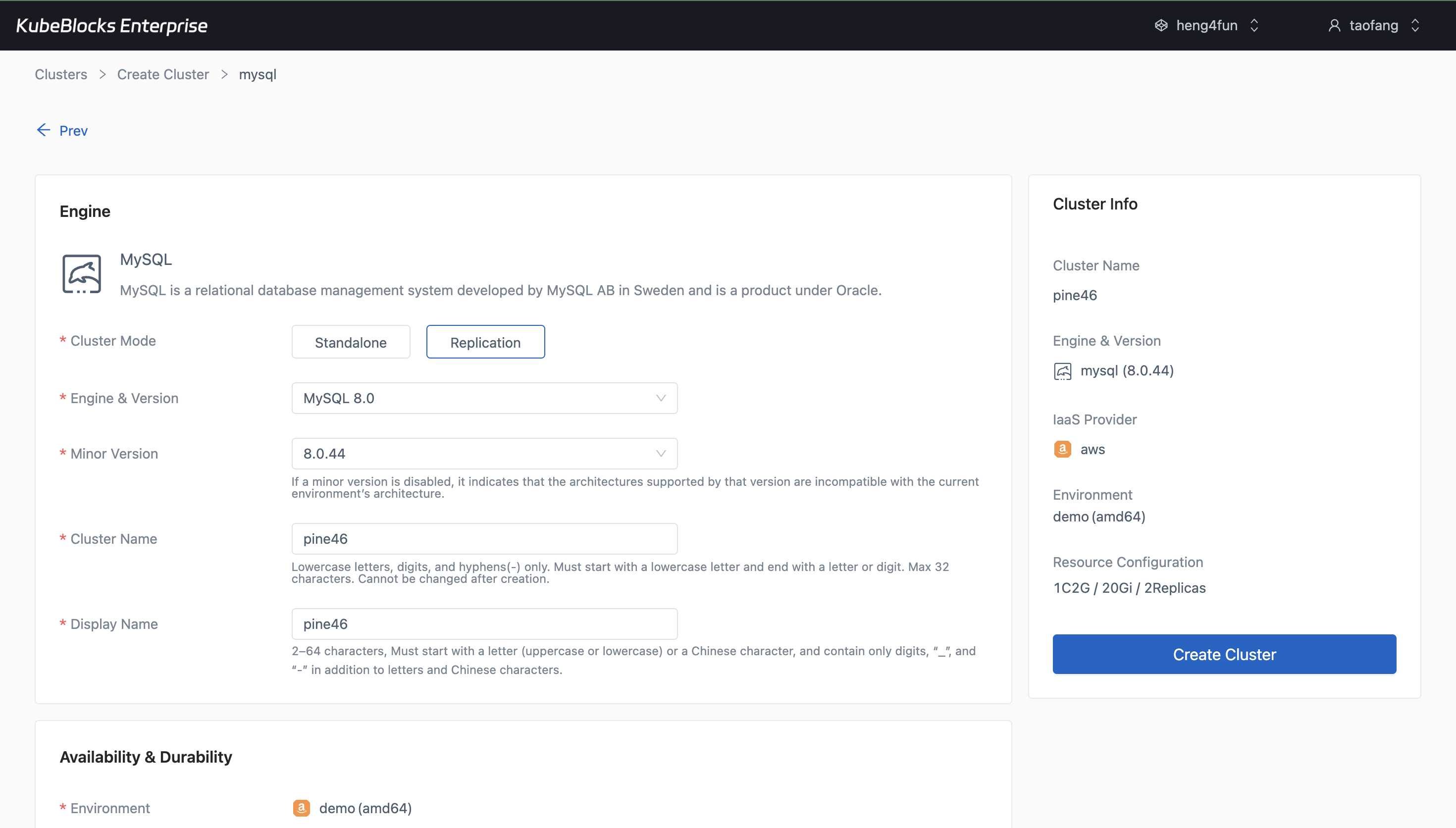
The create wizard lets users choose MySQL version, topology, compute, storage, and backup settings before provisioning starts.
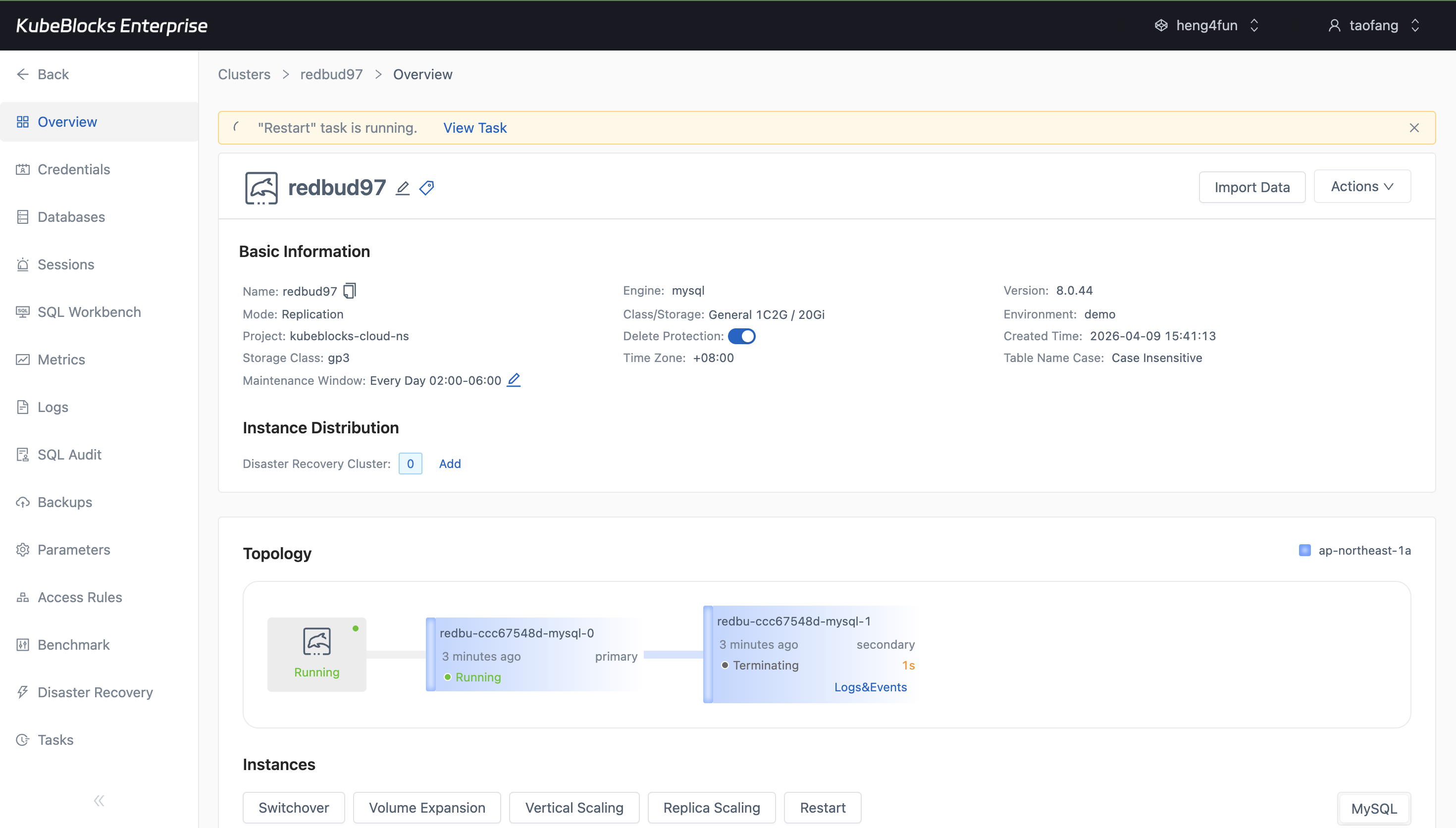
Restart workflows stay visible in context so users can follow rolling changes without guessing cluster state.
Provision MySQL clusters and handle routine lifecycle changes from one console
Launch replicated MySQL clusters with the version, topology, compute, storage, and backup settings your workload needs, then run restart operations from the same workspace with status still in view.
- Create MySQL 5.7, 8.0, or 8.4 clusters with replication topology, compute sizing, storage, and backup choices selected up front.
- Run restart from the cluster workspace instead of switching to separate infrastructure tooling.
- Follow cluster status and task progress from the same MySQL detail flow after provisioning.
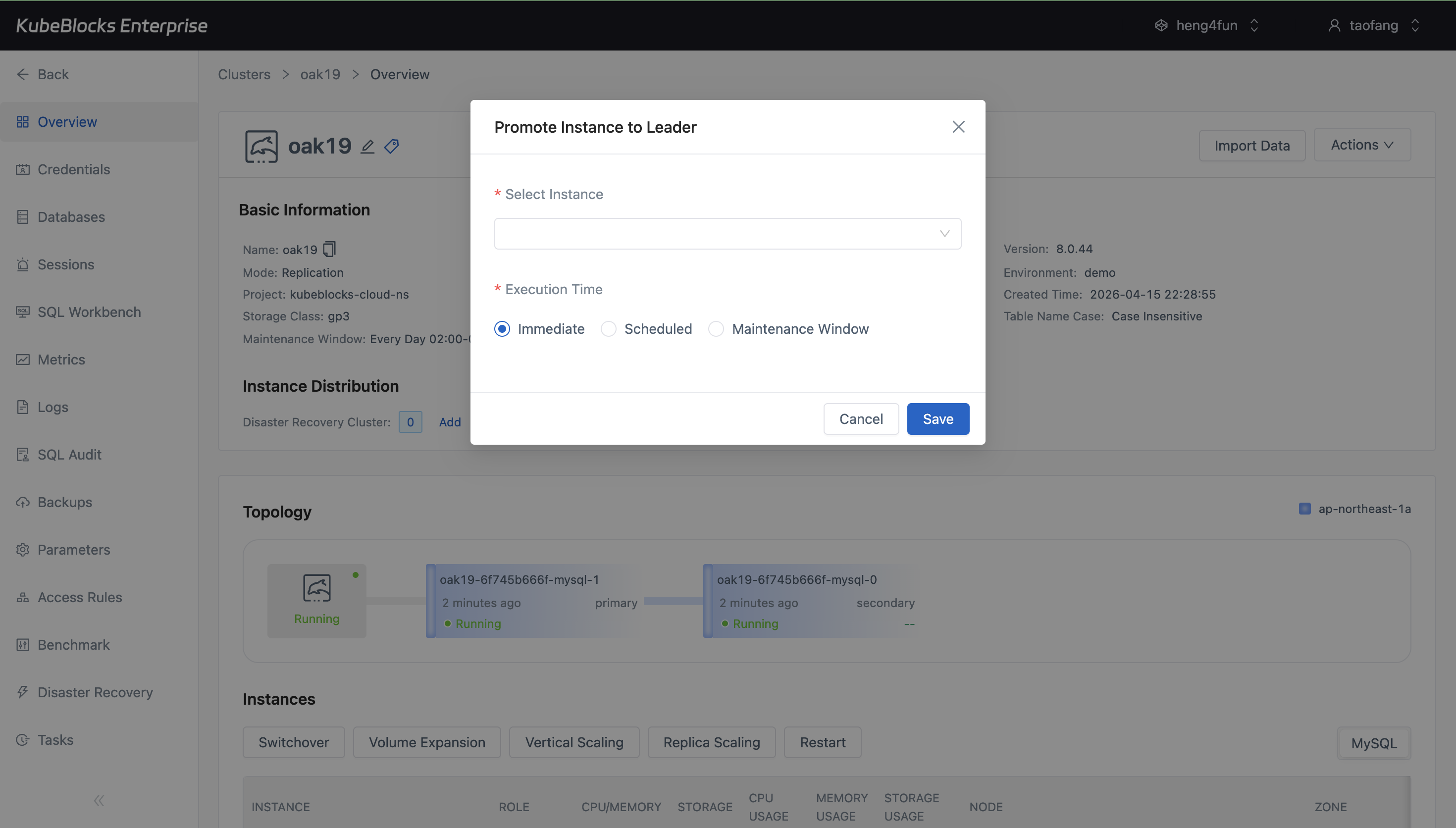
Switchover keeps the current primary, target replica, and resulting topology visible so users can validate a planned role change with less guesswork.
Run planned switchover with primary and replica roles in view
Use a topology-aware switchover flow to promote a replica during planned maintenance while keeping the current primary and resulting role layout visible.
- Choose the target replica directly from a switchover workflow that stays anchored to the MySQL topology.
- Confirm the new primary assignment immediately after the role change completes.
- Handle planned failover without mixing high-availability work into scaling or parameter changes.
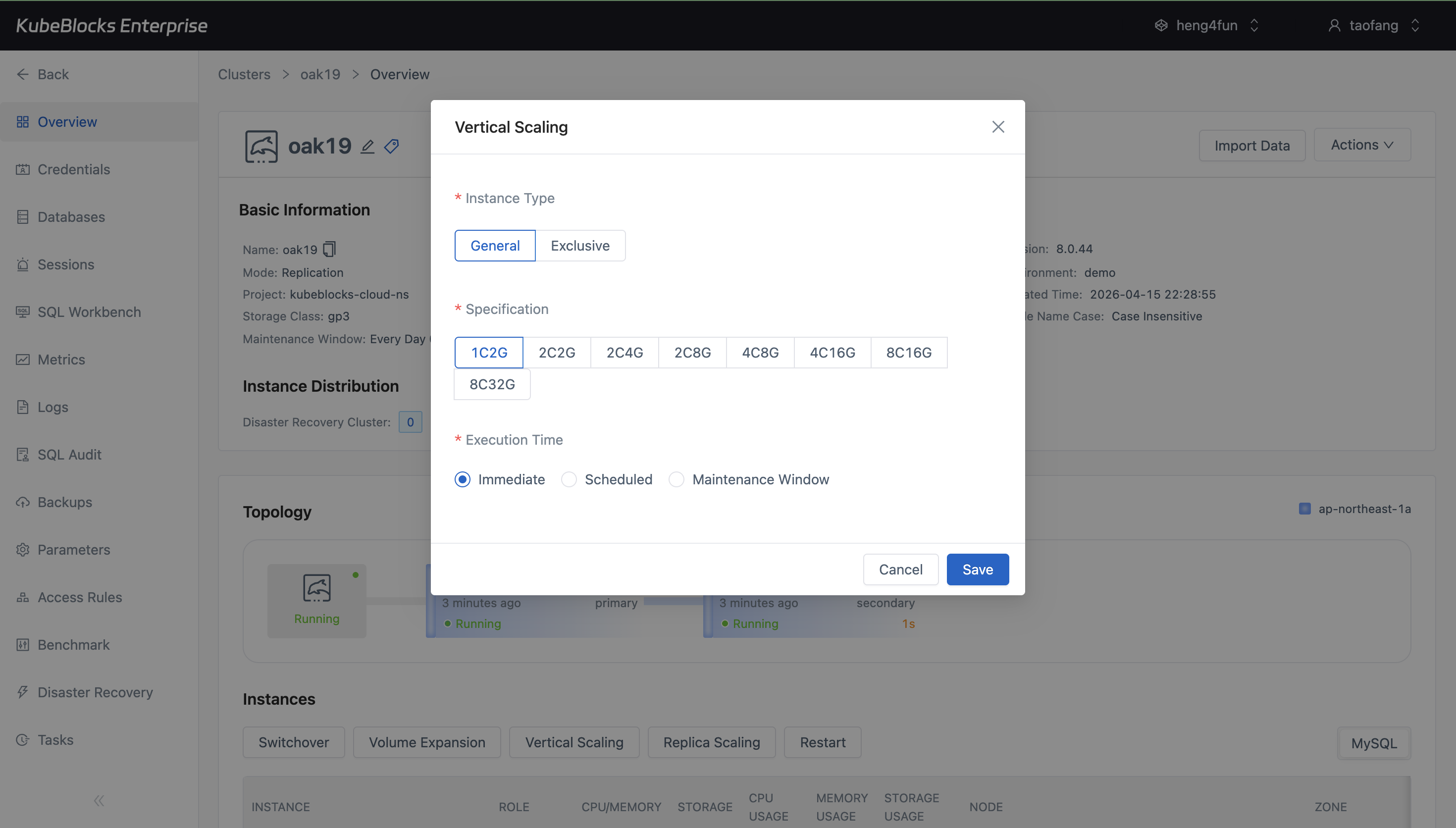
Vertical Scaling shows MySQL CPU and memory choices plus execution timing before users save a compute change.
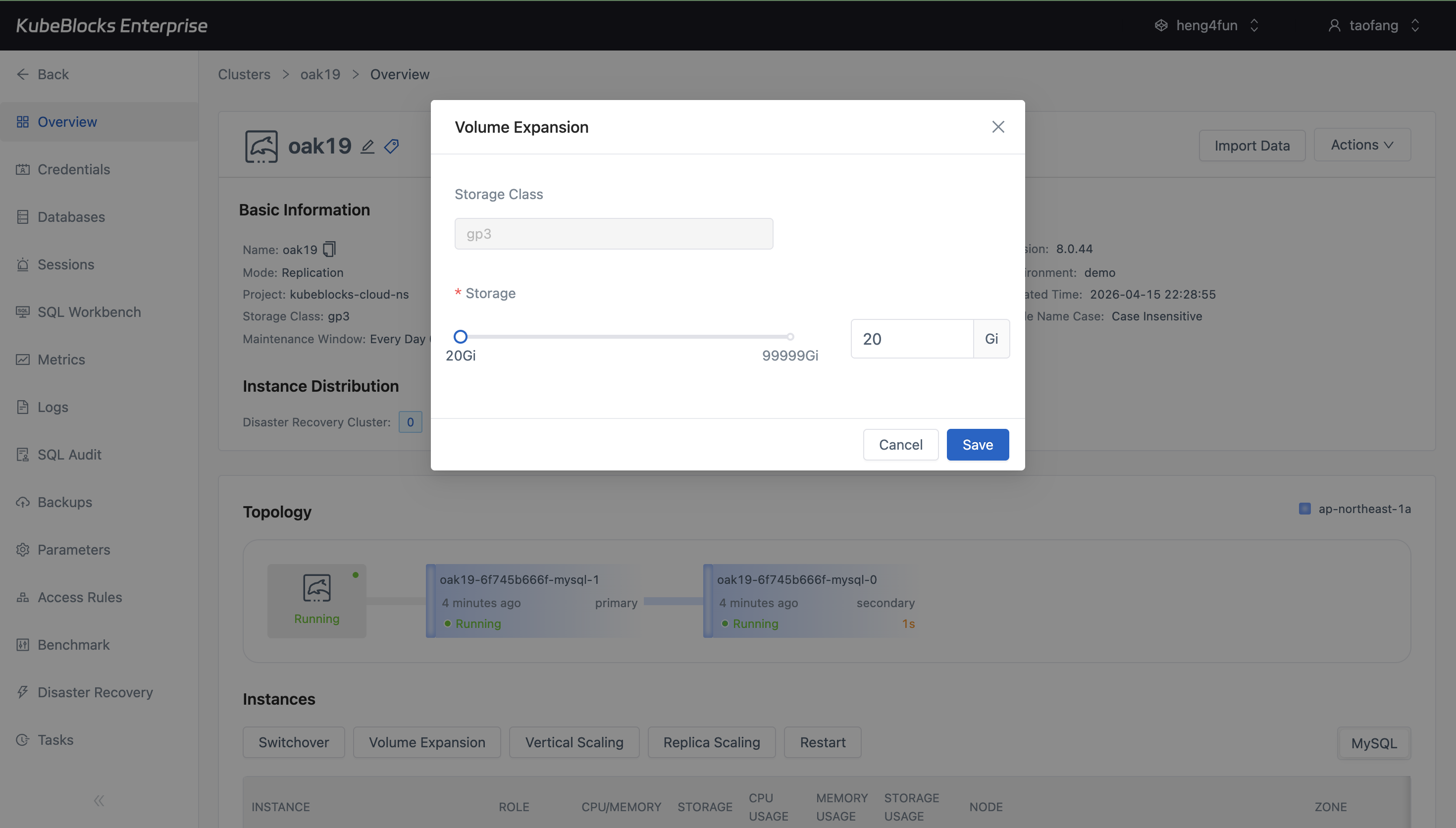
Volume Expansion keeps storage growth explicit by showing capacity changes before the operation is submitted.
Expand compute and storage with guided scaling controls
Increase MySQL capacity with dedicated scaling workflows that expose CPU, memory, and storage choices before the change is submitted.
- Use Vertical Scaling to compare CPU and memory profiles before applying a compute change.
- Use Volume Expansion to grow persistent storage online as data volume increases.
- Review execution timing and target settings before committing a scaling operation.
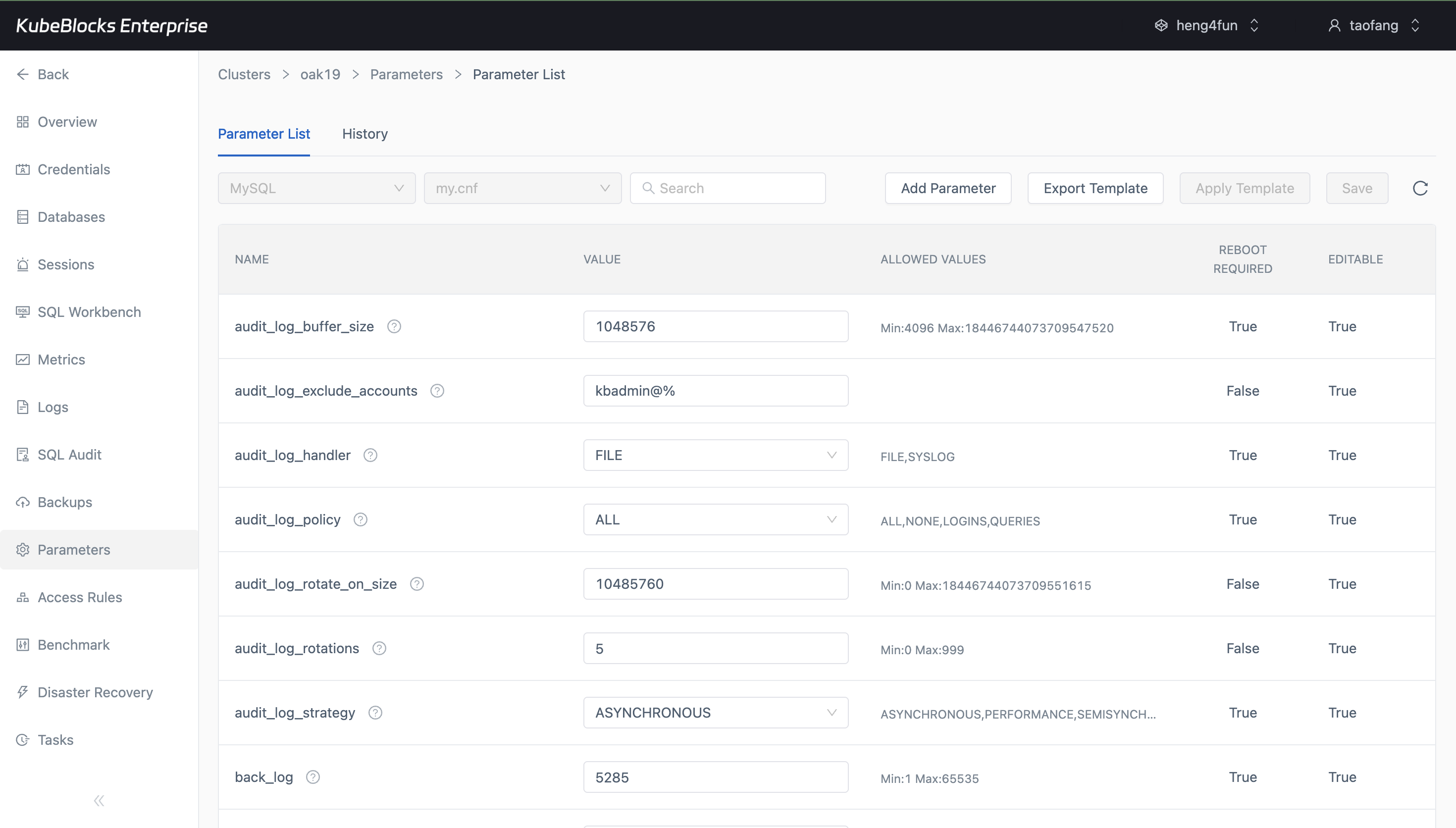
The Parameters workspace keeps current settings and editable values together so users can tune MySQL with better context.
Tune MySQL parameters from the Parameters workspace
Review configurable MySQL settings from a dedicated Parameters workspace so runtime tuning stays separate from scaling and failover changes.
- Inspect the parameter list before changing live MySQL configuration.
- Edit engine settings such as `max_connections` with current values visible in context.
- Apply tuning changes through the same console used for lifecycle and recovery work.
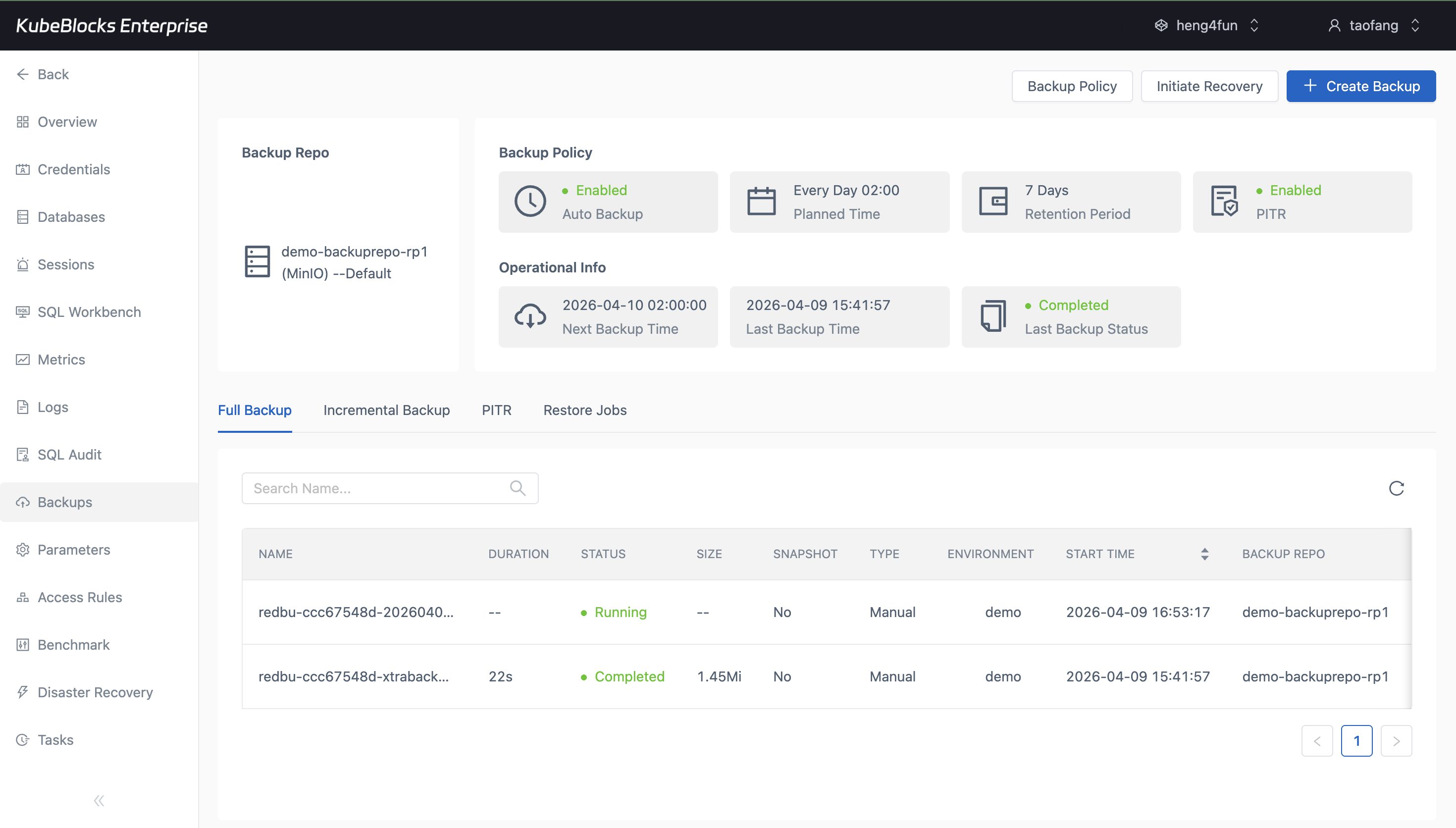
Backup views combine policy, repository, schedule, retention, and job status in one MySQL workspace.
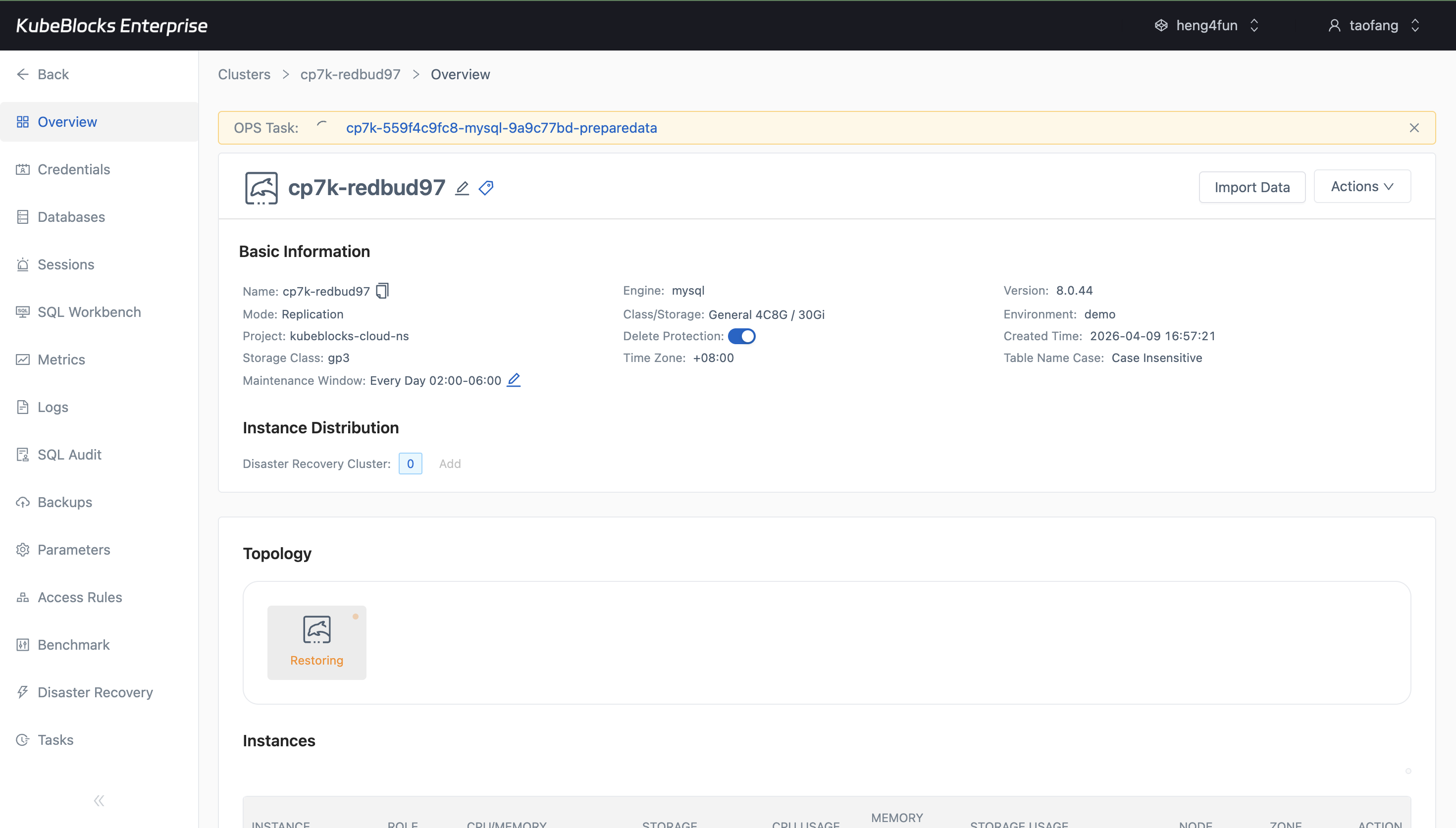
Restore creates a dedicated recovery path that stays distinct from routine lifecycle and scaling work.
Protect and recover data with backup and restore workflows
Keep protection points and recovery actions close to the running MySQL service so teams can review backup status, policy context, and restore readiness without leaving the console.
- Trigger full or on-demand backups and review repository, retention, and policy status from the Backups workspace.
- Track backup task progress from running to completed with clear job visibility.
- Restore into a new cluster when validation or recovery requires an isolated target.
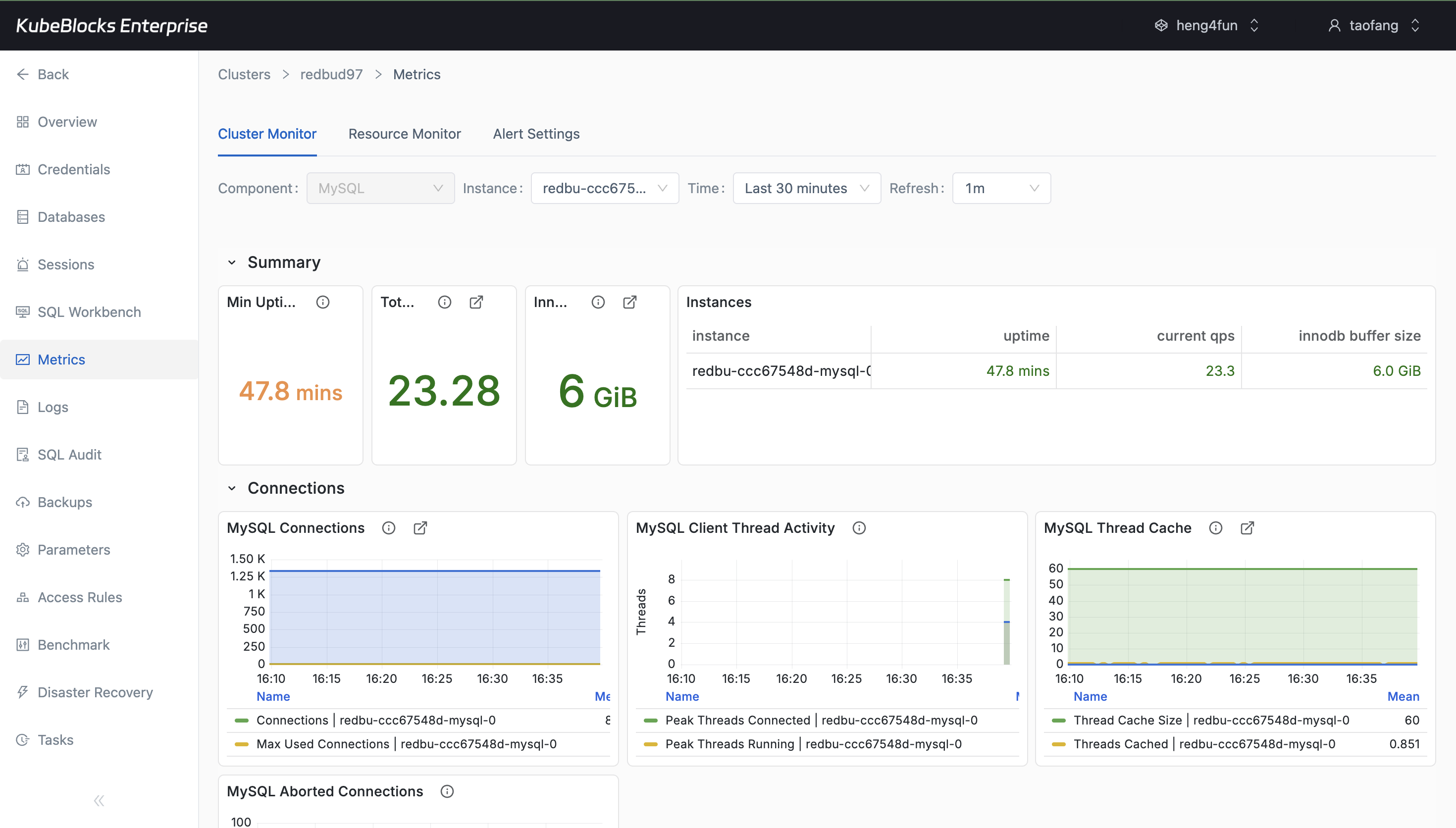
Cluster Monitor exposes throughput, uptime, connections, and buffer usage for each MySQL instance.
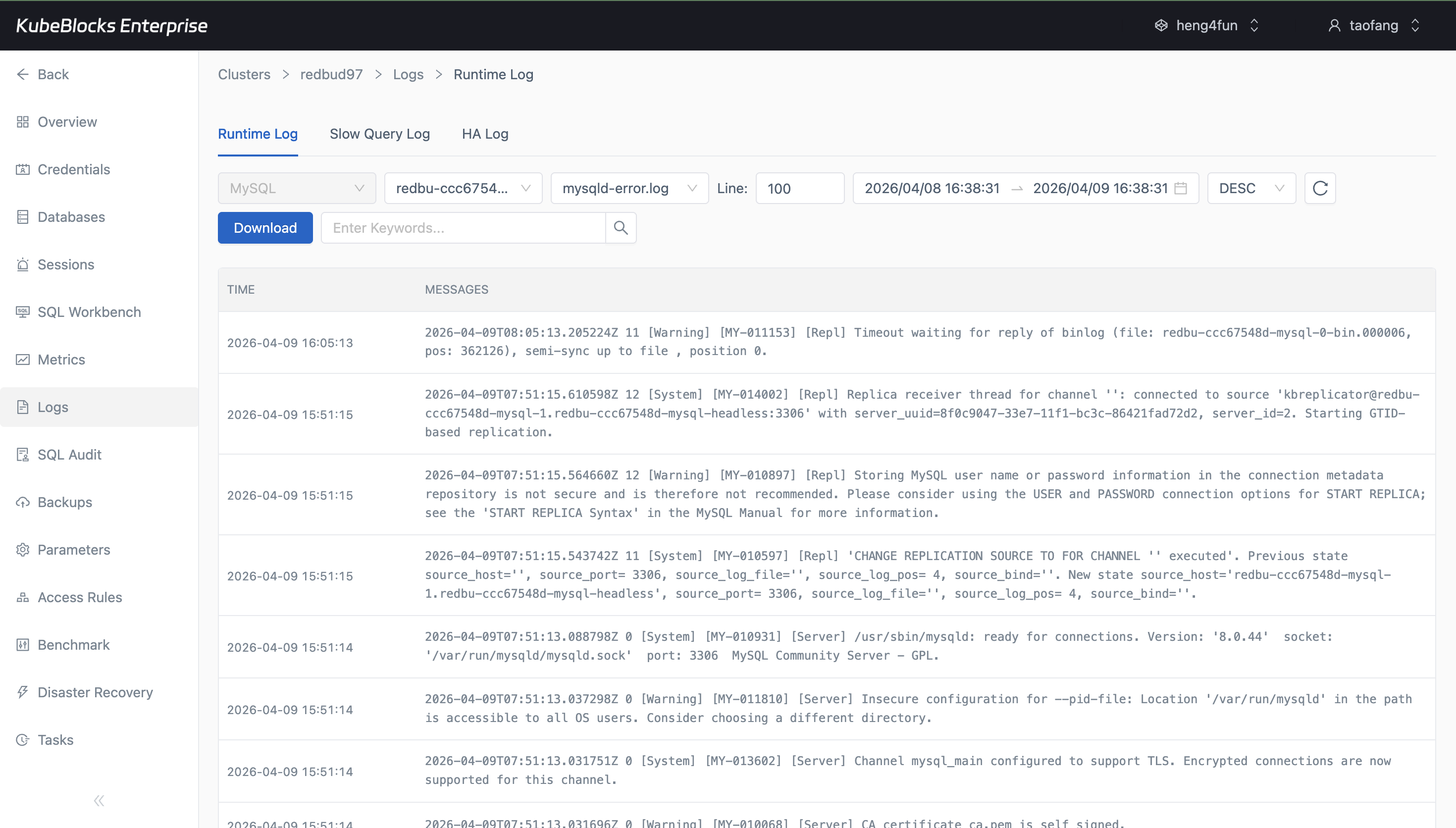
Runtime Log lets users inspect MySQL activity and slow queries from the same operational workspace.
Monitor performance and diagnose issues from metrics and logs
Track the runtime signals that matter for production MySQL, including health, connections, throughput, and logs used during troubleshooting.
- Track uptime, QPS, connections, and InnoDB behavior from Cluster Monitor.
- Inspect Runtime Log and slow query output when diagnosing performance issues.
- Keep operational visibility close to the database workspace instead of switching tools.
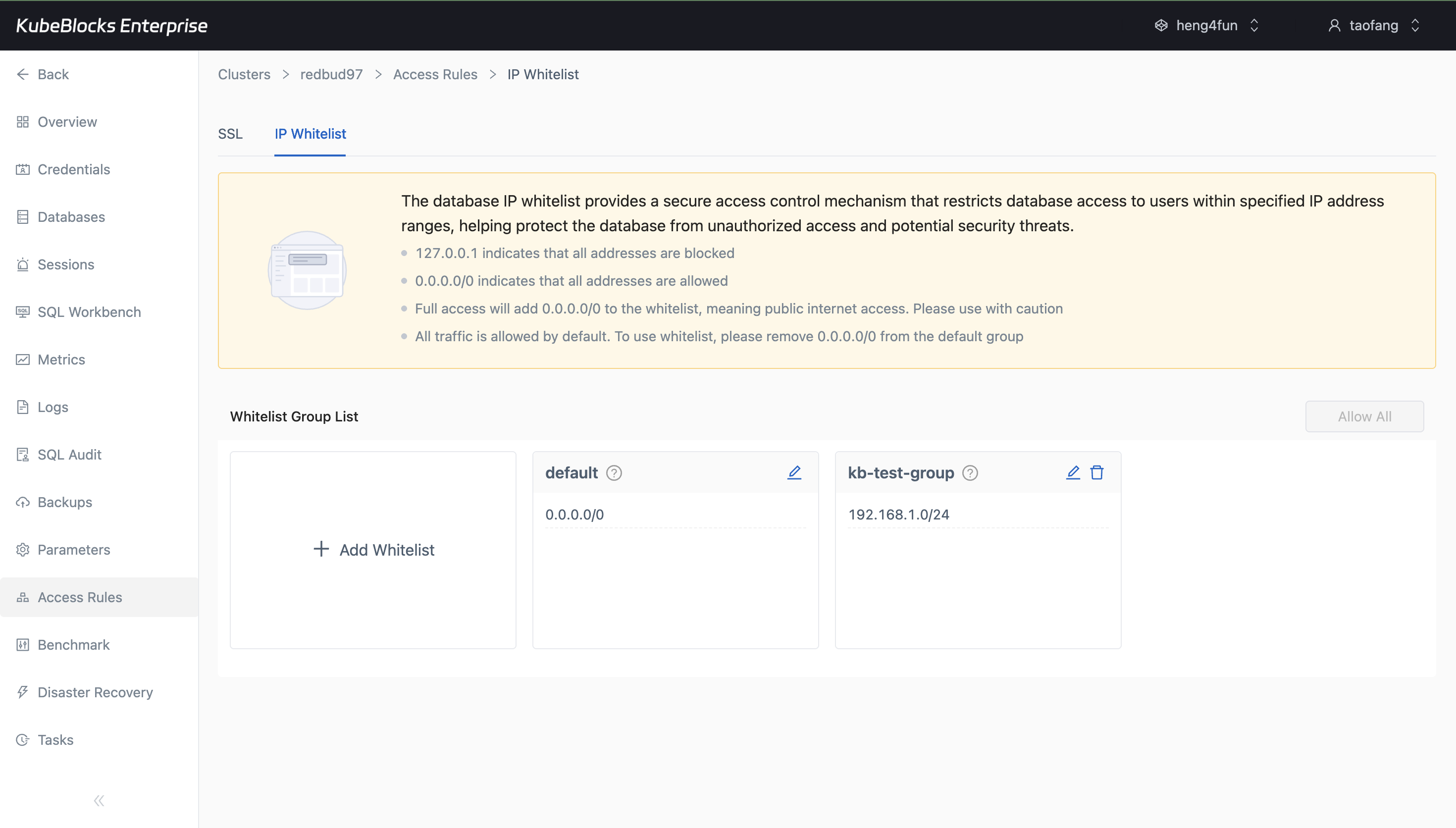
IP Whitelist management gives users a dedicated place to control which clients can connect to MySQL.
Control MySQL network exposure with IP Whitelist policies
Manage which clients can reach MySQL by reviewing IP Whitelist rules from a dedicated access-control workspace.
- Define CIDR-based rules for inbound database access from the IP Whitelist page.
- Review default and custom entries side by side before opening client traffic.
- Keep network access policy separate from credentials, SQL activity, and backup workflows.
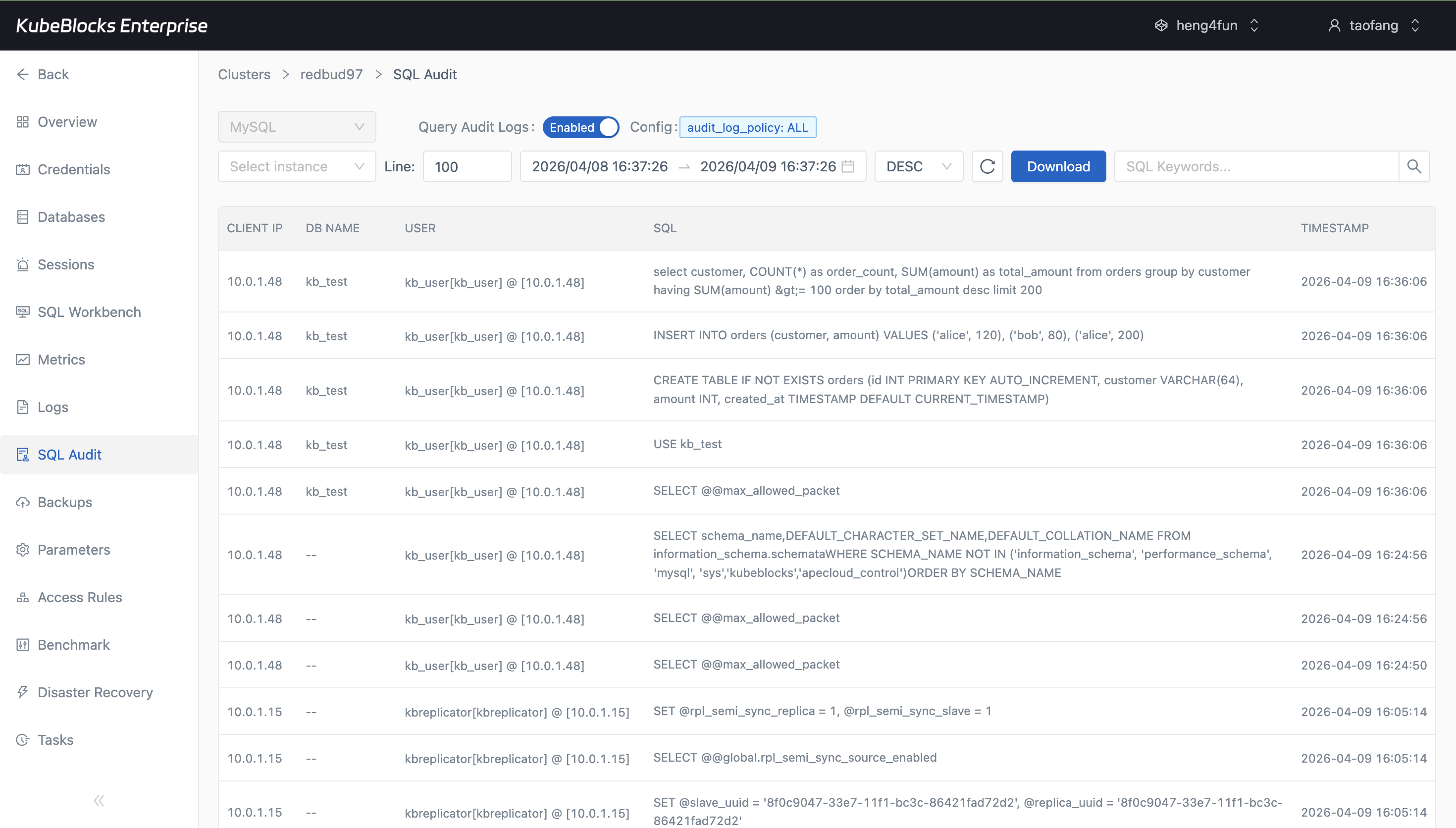
SQL Audit keeps statement history visible when teams need stronger change accountability.
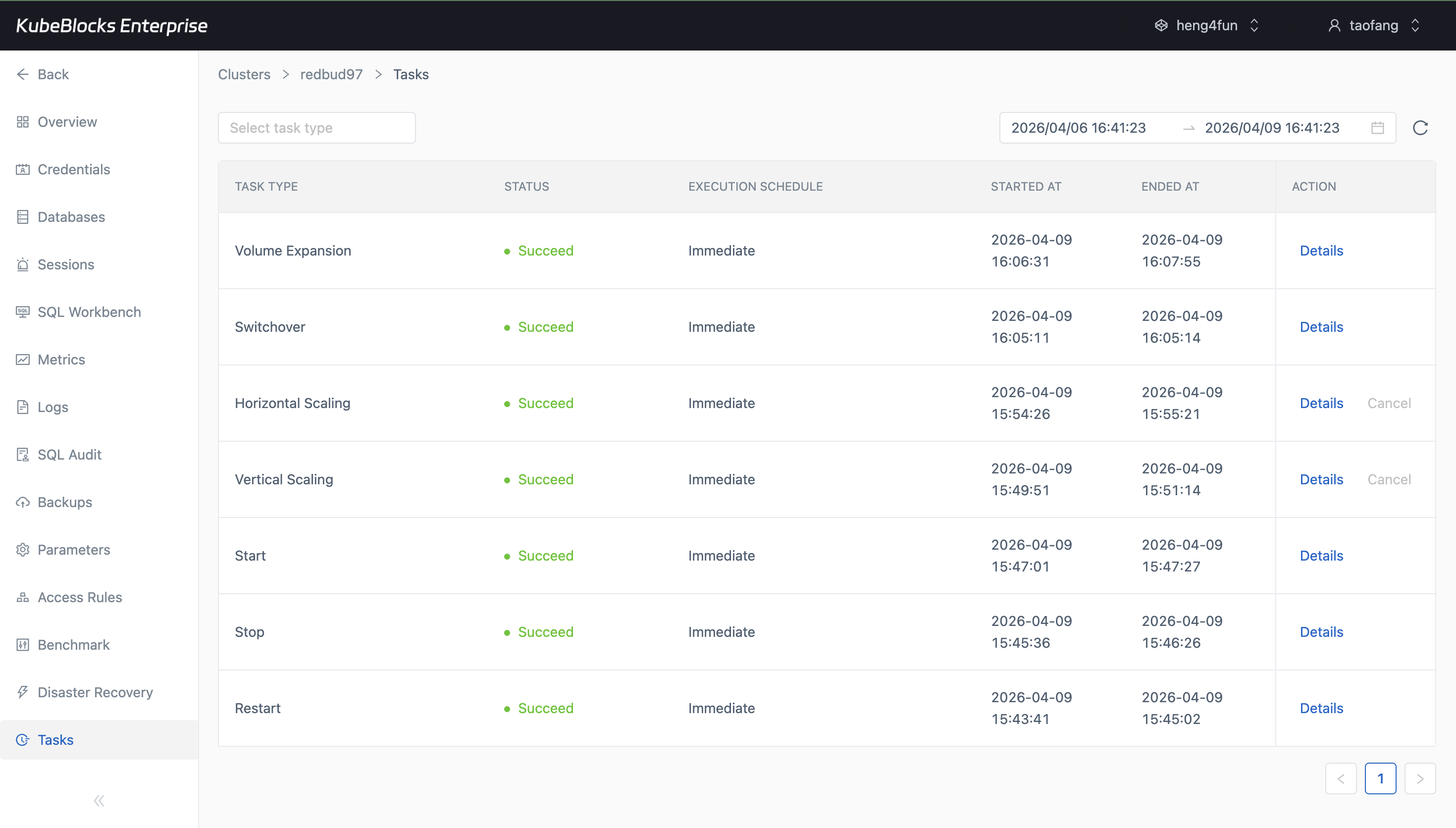
Task history captures the operational trail behind lifecycle, scaling, availability, and recovery workflows.
Review SQL activity and operational history with clear evidence
Keep statement history and task execution records close at hand so teams can answer what changed, when it changed, and how it was executed.
- Review executed SQL statements and source accounts from SQL Audit for accountability and troubleshooting.
- Track restart, scaling, switchover, backup, and restore workflows from the Tasks page.
- Give operations and application teams a shared evidence trail for recent database changes.
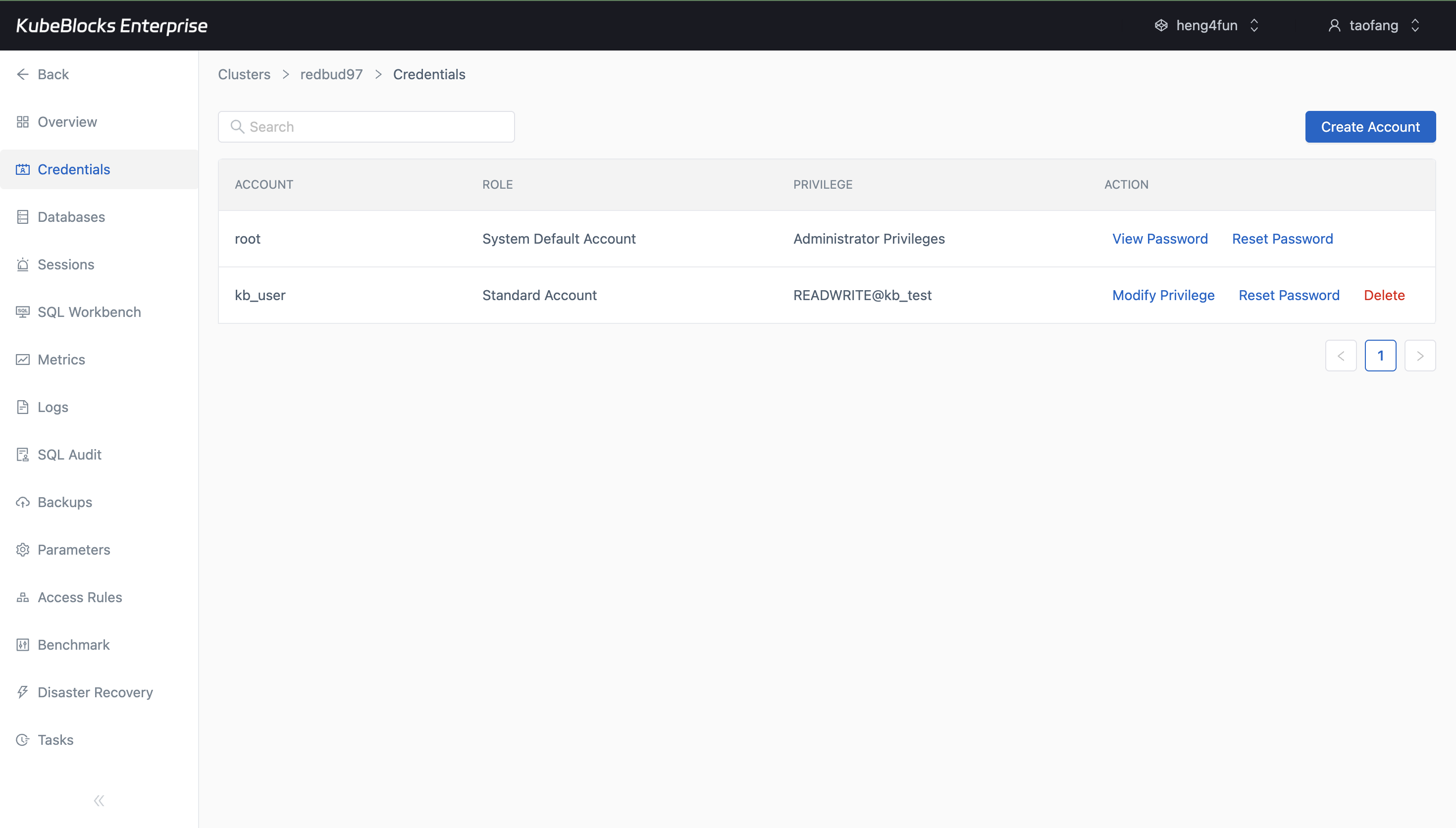
Credentials management helps users provision MySQL access and review privileges from one place.
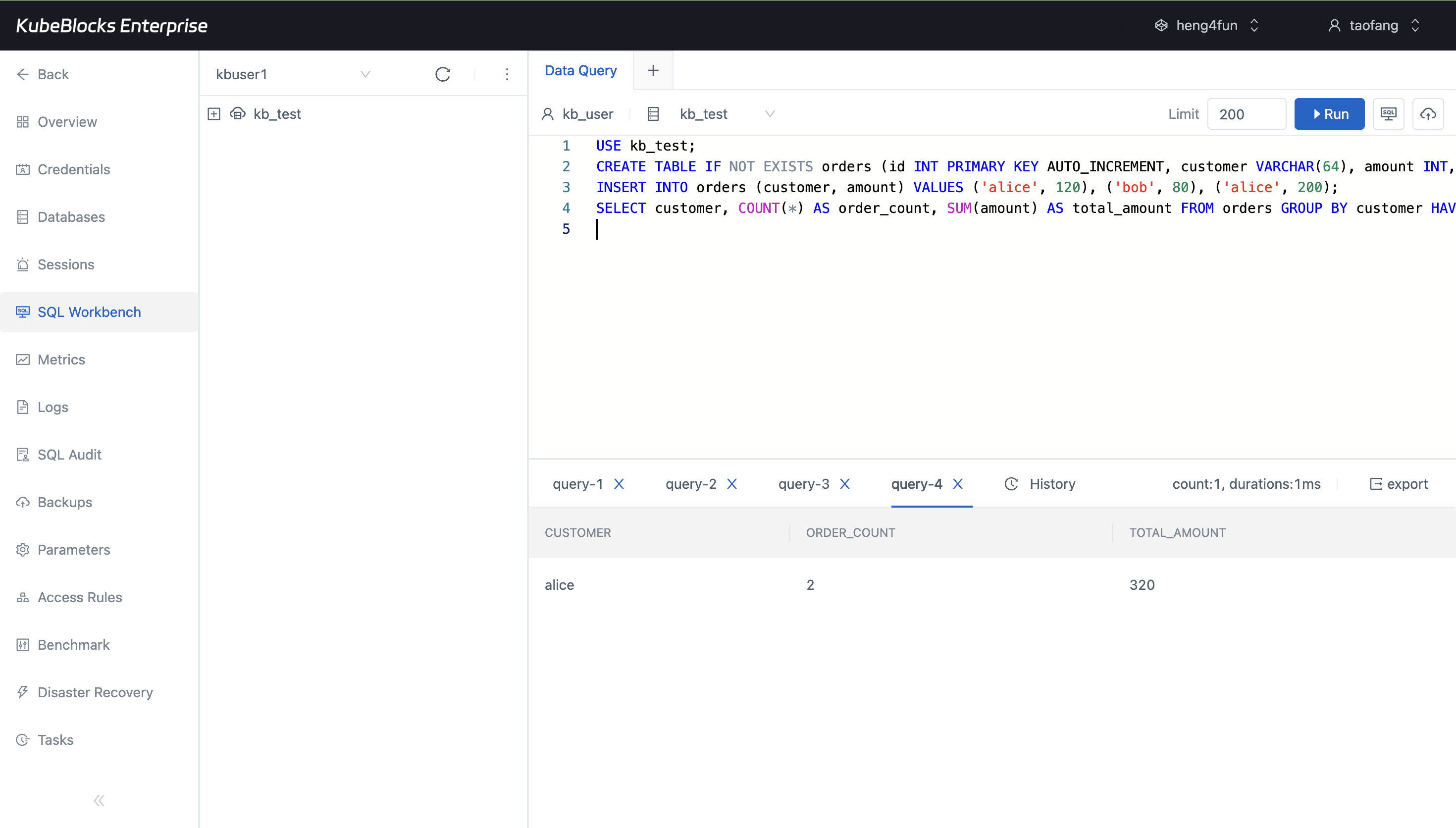
SQL Workbench lets users validate access, schema changes, writes, and query results directly from the MySQL console flow.
Manage accounts and validate SQL workflows for application teams
Support application onboarding with credentials management and SQL Workbench workflows that help teams verify access and query behavior from the same console.
- Create MySQL accounts and assign least-privilege access for application usage.
- Review credentials and granted permissions from the same MySQL workspace.
- Use SQL Workbench to validate schema changes, inserts, and query results without leaving the console.
Want full Day-2 operations on Kubernetes? Supported by KubeBlocks MySQL Kubernetes Operator →
Ready to build your own DBaaS on Kubernetes?
Talk to our team and see how KubeBlocks Enterprise can help you consolidate databases, strengthen security, and reduce operational costs.