

KubeBlocks for
RocketMQ
Apache RocketMQ is a cloud-native messaging and streaming platform born at Alibaba. It delivers low latency, high throughput, and trillion-level message capacity — purpose-built for financial-grade reliability and large-scale distributed systems.
Supported versions
Available on
 AWS
AWS Azure
Azure GCP
GCP OCI
OCI Alibaba Cloud
 Rancher
 OpenShift
Databases
 MySQL
MySQL PostgreSQLOracle
 SQL Server
 Redis
Redis MongoDB
 ClickHouse
Vector & AI
 Qdrant
 Milvus
 Elasticsearch
Message queues
 RocketMQ
 RabbitMQ
 Kafka
KafkaOthers
 VictoriaMetrics
 InfluxDB
 etcd
etcd ZooKeeper
Extend database engines like plug-ins
KubeBlocks provides unified database operations through its addon-based architecture. With KubeBlocks Enterprise, access over 15 seamless integrations to scale your database services.
One control plane, consistent operations across all engines — powered by the addon mechanism.
Run RocketMQ with real lifecycle, scaling, tuning, and observability workflows
Operate RocketMQ with guided creation, compute and storage scaling, real parameter lists, metrics, logs, task history, and data-management handoff workflows backed by real KubeBlocks Enterprise screens.
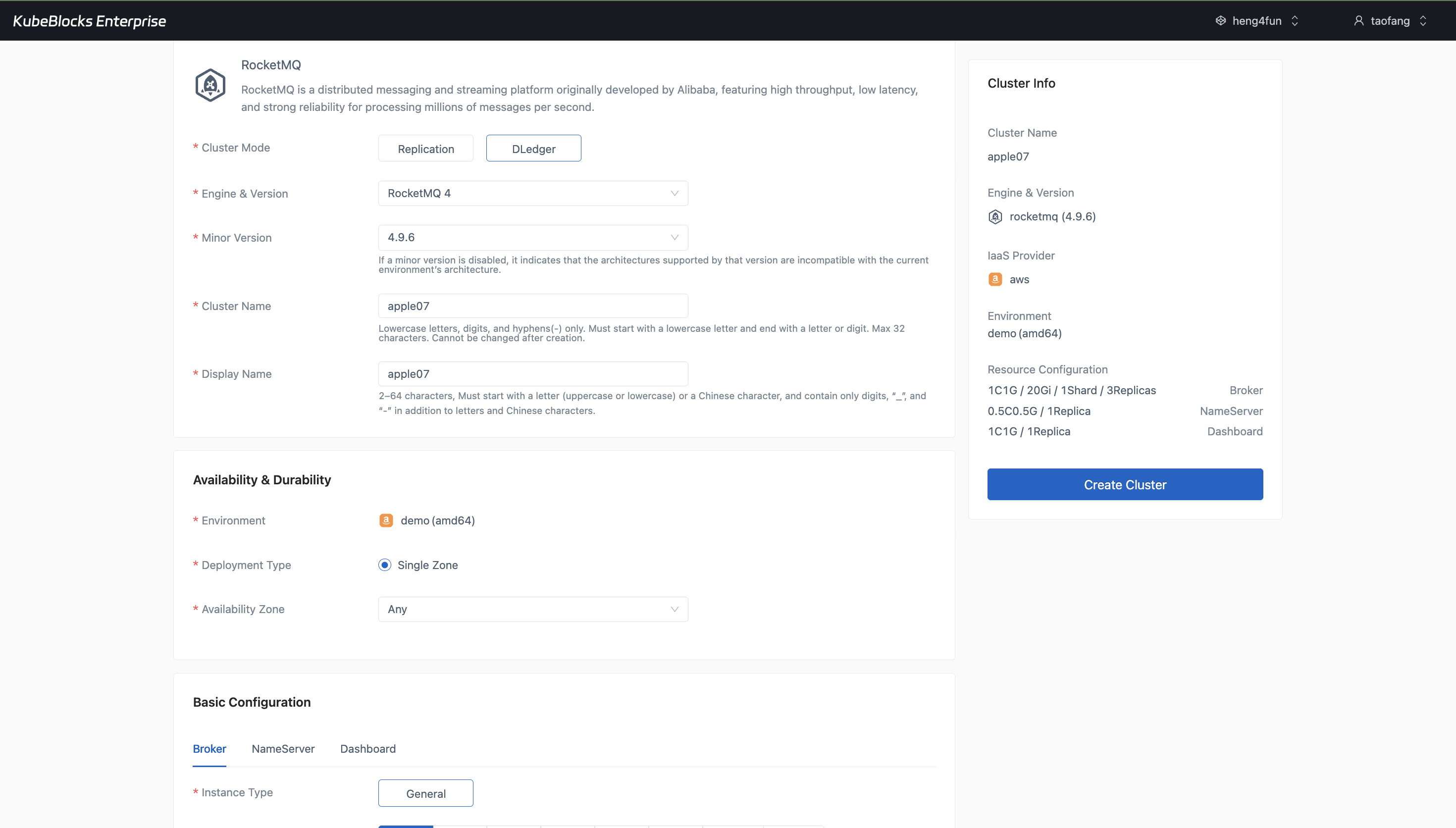
The create wizard keeps RocketMQ topology, version, ACL, DLedger, compute, and storage choices visible before users create the cluster.
Create RocketMQ clusters with topology, ACL, and storage choices
Launch RocketMQ from a guided create wizard that keeps cluster mode, version, environment, broker sizing, storage, ACL, and DLedger options visible before users commit the cluster.
- Choose Replication or DLedger mode and review the resulting cluster footprint in the summary panel before creation.
- Set RocketMQ version, minor version, environment, broker storage, shard count, replicas, ACL, and DLedger in one flow.
- Keep create-time decisions explicit so users can confirm the messaging topology before provisioning starts.
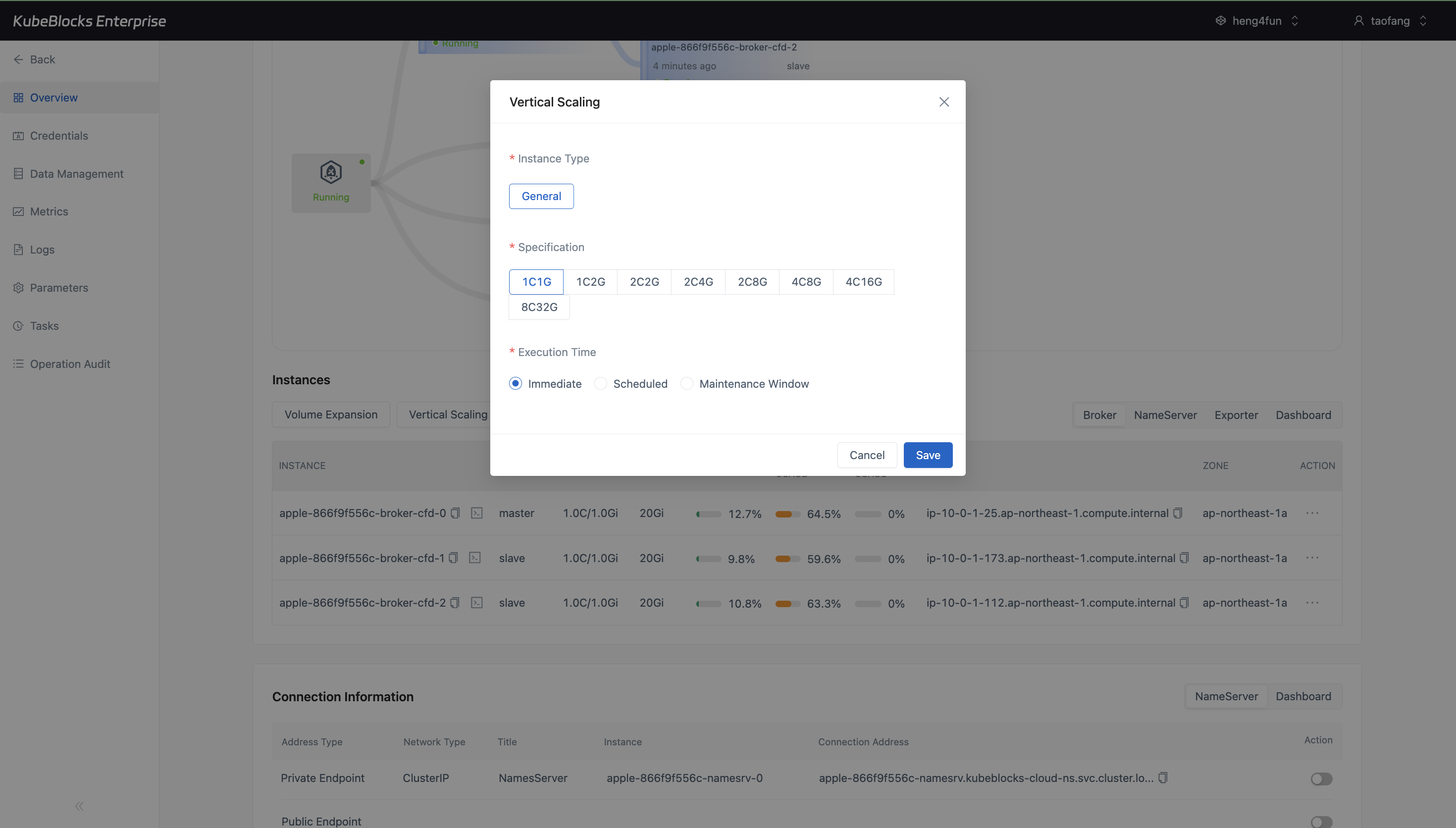
Vertical Scaling presents RocketMQ CPU and memory choices before users submit the capacity change.
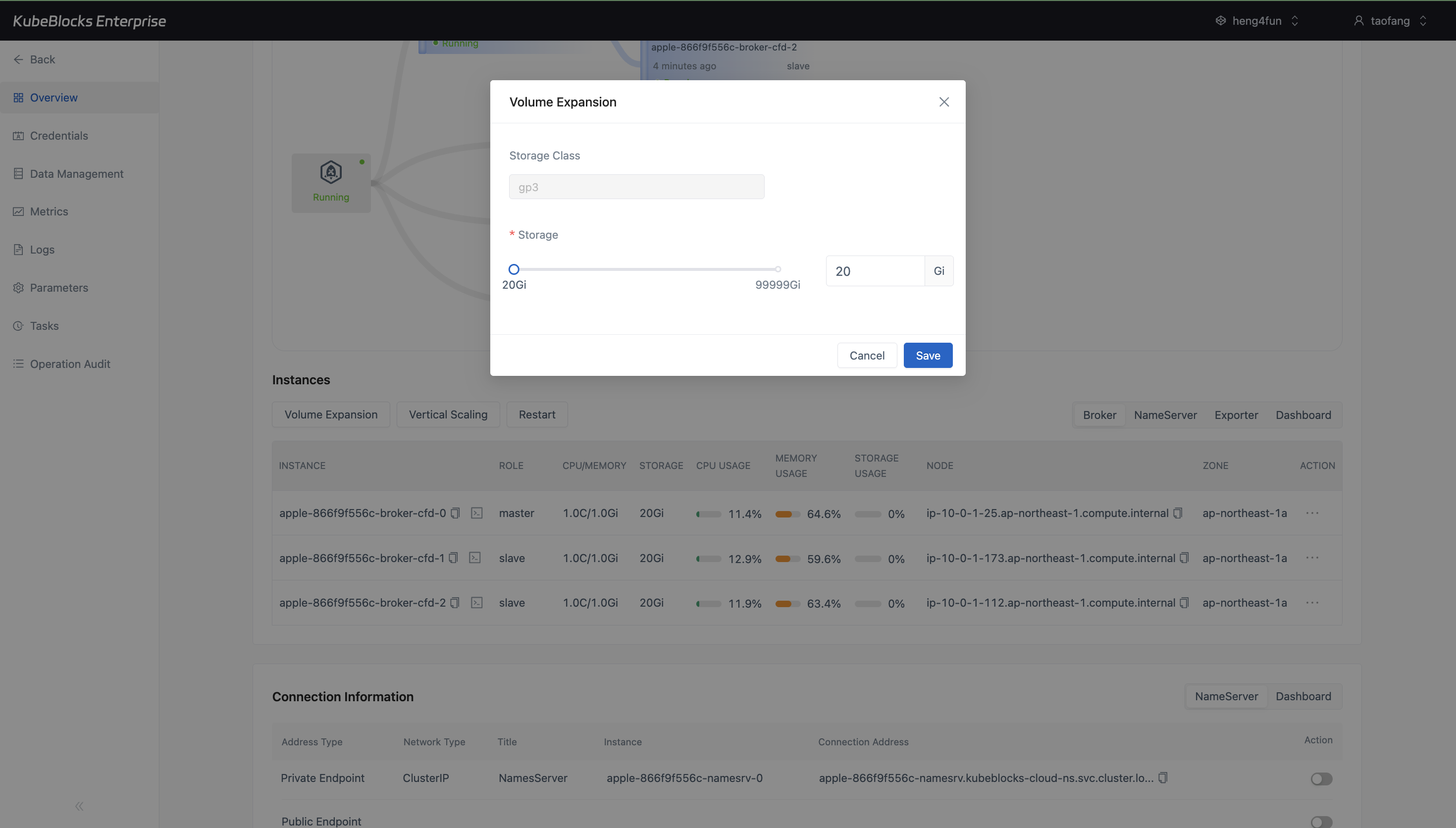
Volume Expansion keeps broker storage growth explicit with current capacity, maximum capacity, and a new-size input.
Adjust RocketMQ compute and storage from guided option dialogs
RocketMQ exposes both Vertical Scaling and Volume Expansion from the overview so users can review broker resource changes before any task is submitted.
- Use Vertical Scaling to choose a larger CPU and memory profile such as `1C2G`, `2C4G`, or `4C16G`.
- Use Volume Expansion to grow broker storage from the current capacity to a larger persistent size.
- Keep compute and storage growth visible from the same RocketMQ operations surface instead of editing raw infrastructure objects.
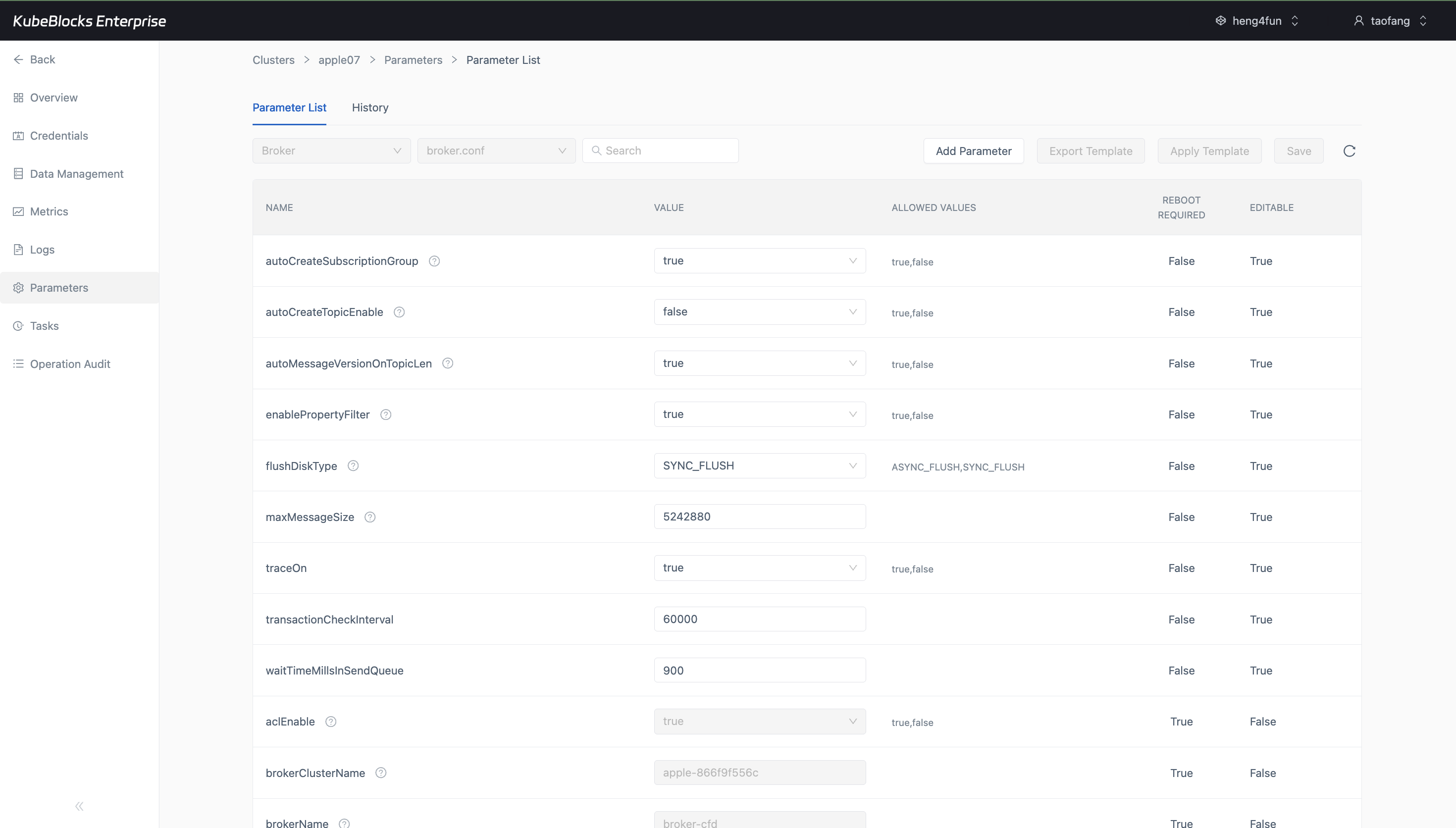
The Parameters workspace shows RocketMQ broker values, allowed ranges, reboot requirements, and editability in one table.
Tune RocketMQ from the real parameter list
Use the Parameters workspace to review editable RocketMQ broker settings from a real parameter table, keeping engine tuning separate from lifecycle and scaling actions.
- Inspect broker parameters such as topic auto-creation, flush mode, ACL, and message-size controls from one table.
- See allowed values, reboot requirements, and editability without opening a change task first.
- Keep configuration review clear for users managing throughput, retention, and broker behavior.
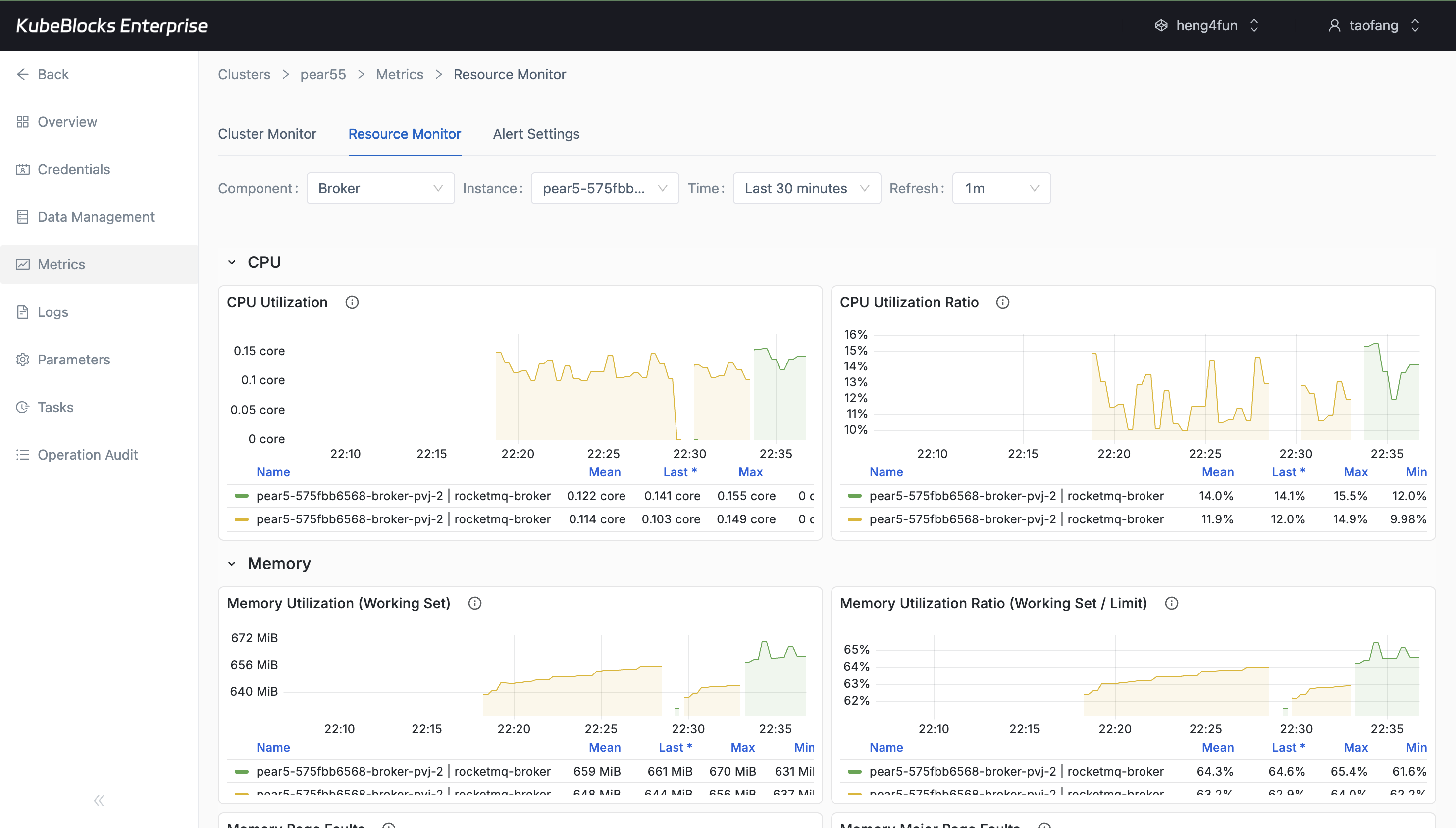
Metrics panels give teams live RocketMQ health and resource visibility from the broker perspective.
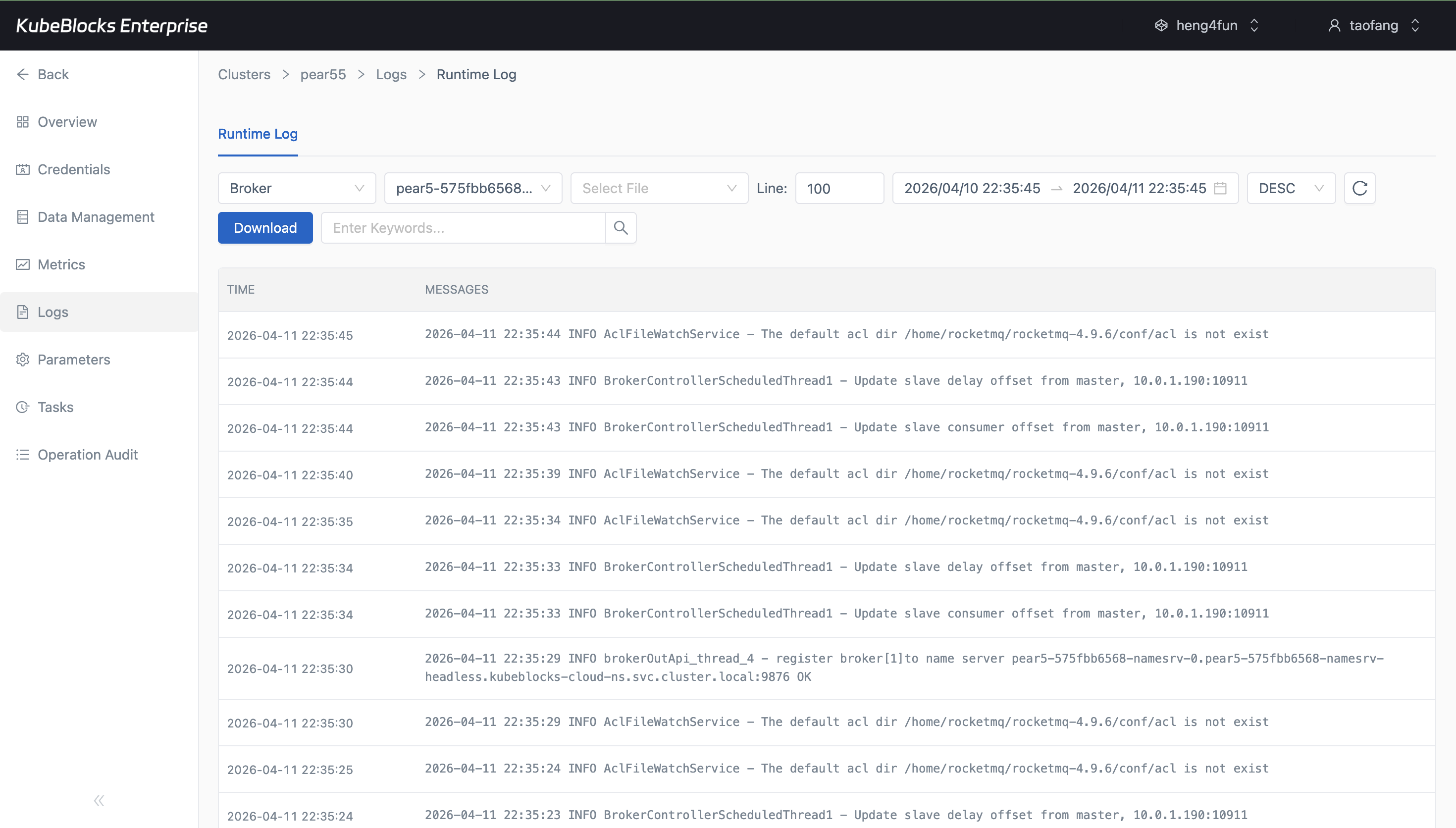
Runtime logs reveal RocketMQ broker, sync, and watcher activity without leaving the console.
Monitor RocketMQ components and inspect runtime messages
Keep RocketMQ visibility close to the cluster by combining monitor dashboards with runtime logs for brokers, synchronization, registration, and ACL watcher activity.
- Open hydrated Cluster Monitor and Resource Monitor panels from the RocketMQ broker context.
- Inspect live log lines for broker registration, slave sync, and watcher behavior.
- Use the same console surface for both health monitoring and troubleshooting.
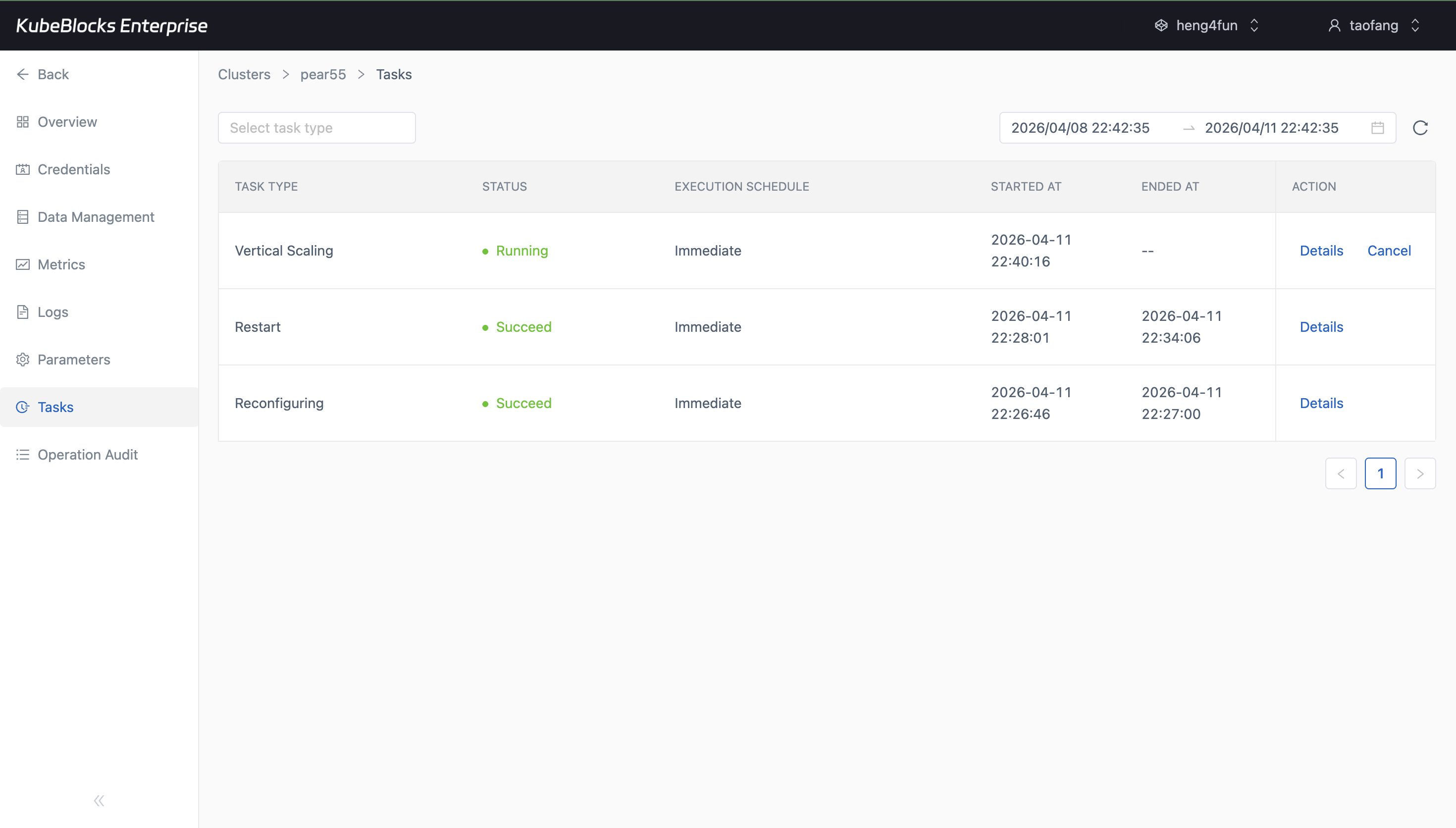
Task history preserves the richest RocketMQ operation trail from the tested console session.
Keep RocketMQ change history visible from task records
Use task history to review which reconfiguration, restart, and scaling actions ran against RocketMQ and what state they reached during validation.
- Track RocketMQ restart and reconfiguration results from one task timeline.
- Review scaling activity alongside other day-2 actions for faster change validation.
- Use task history as practical evidence for operational review and troubleshooting.
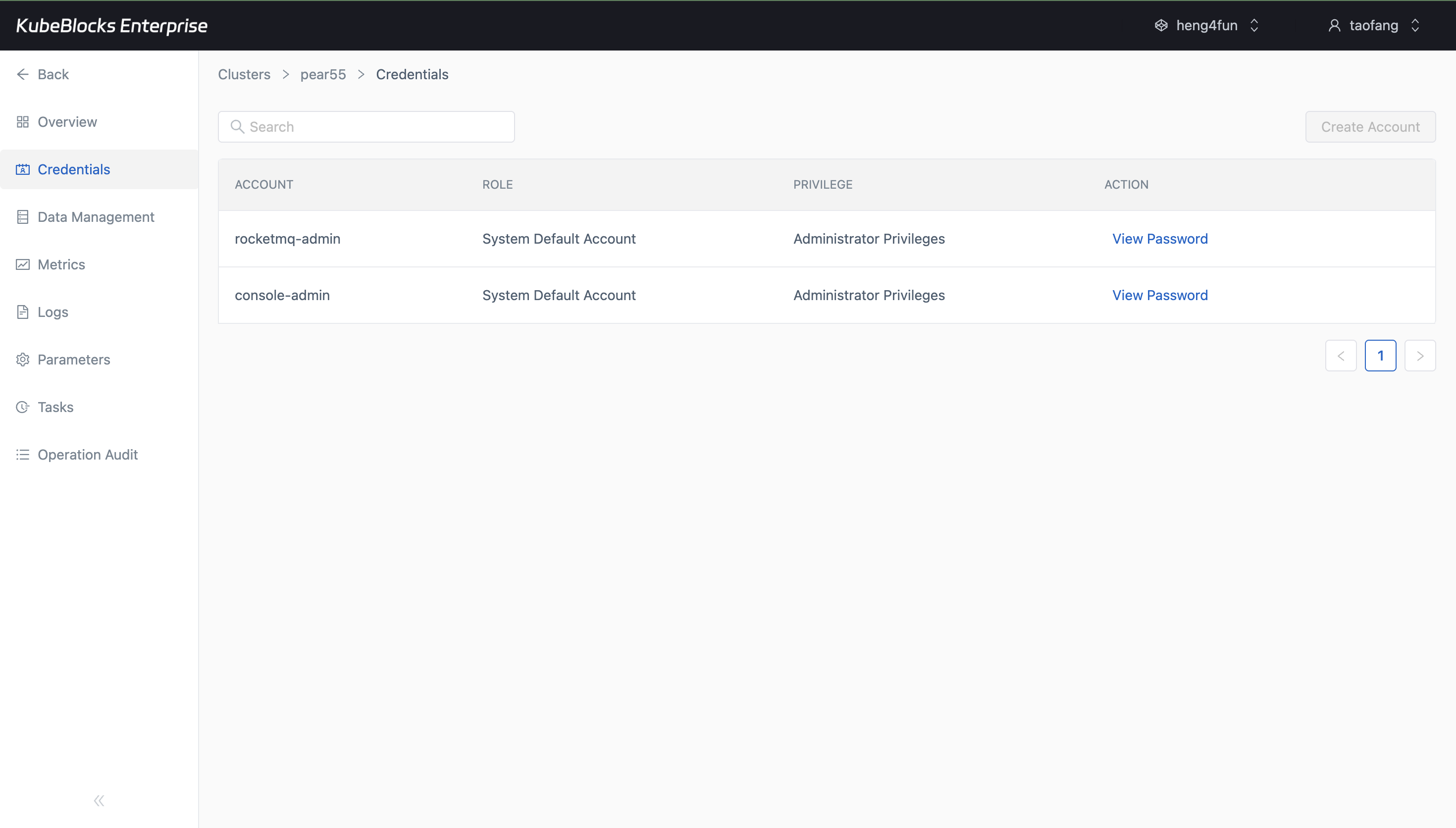
The Credentials page shows RocketMQ default accounts and where user access review begins.
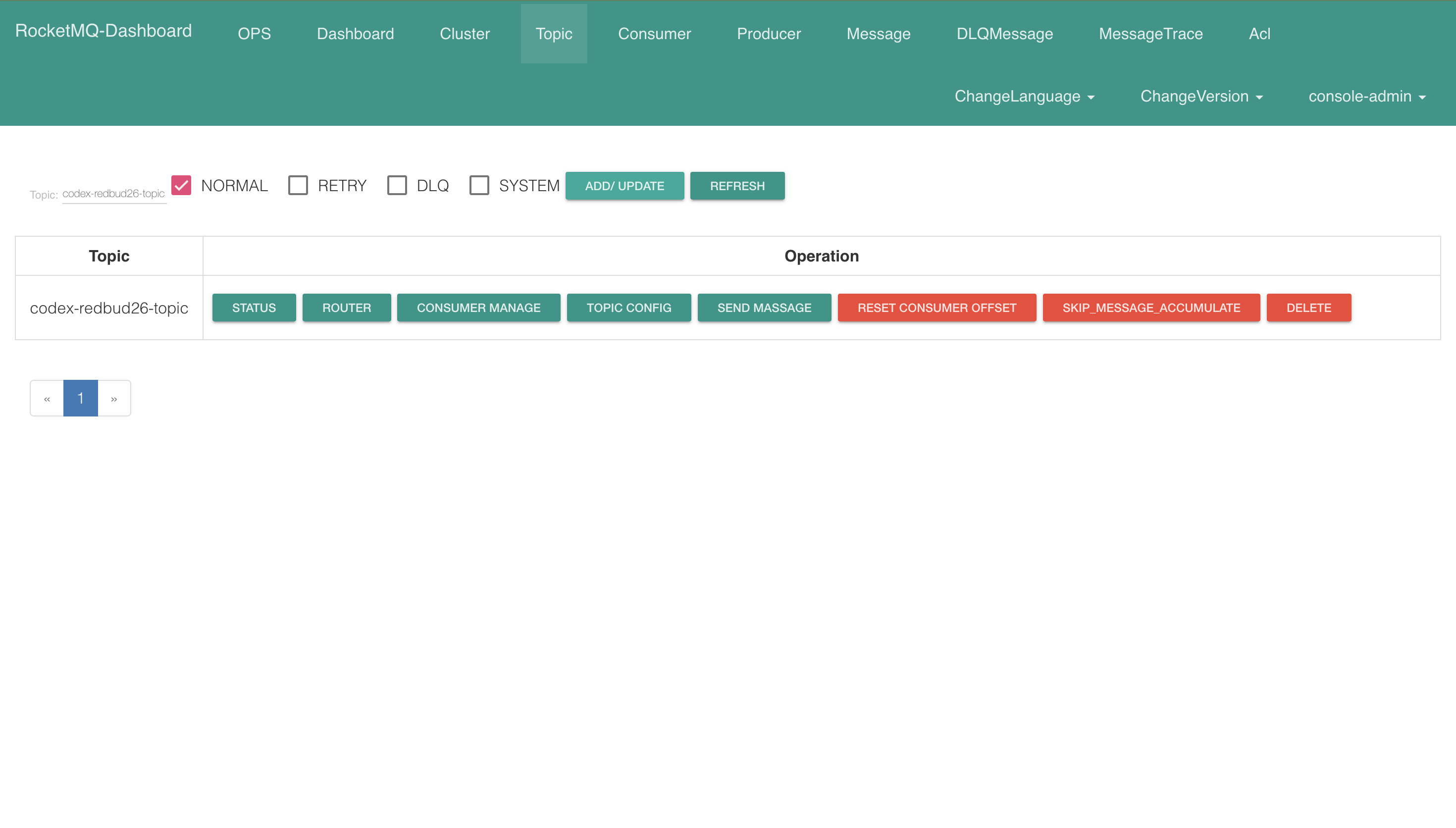
The RocketMQ Dashboard confirms that a real topic was created successfully and is ready for status, routing, and message operations.
Use RocketMQ credentials and manage topics from the dashboard
RocketMQ keeps account review in the Credentials route and hands users off to the web console for topic workflows. In the validated flow, the dashboard opened successfully, `console-admin` signed in, and a real topic was created before capture.
- See default account information and the Create Account entry point from the Credentials page.
- Open the RocketMQ Dashboard endpoint from Data Management and sign in with the console account.
- Create and verify a real topic from the dashboard before moving on to follow-up message and consumer tasks.
Ready to build your own DBaaS on Kubernetes?
Talk to our team and see how KubeBlocks Enterprise can help you consolidate databases, strengthen security, and reduce operational costs.