

KubeBlocks for
Oracle
Oracle Database is the industry-standard enterprise relational database, renowned for its scalability, reliability, and comprehensive feature set. It powers the world's most demanding transaction processing, data warehousing, and mixed workloads.
Supported versions
Available on
 AWS
AWS Azure
Azure GCP
GCP OCI
OCI Alibaba Cloud
 Rancher
 OpenShift
Databases
 MySQL
MySQL PostgreSQLOracle
 SQL Server
 Redis
Redis MongoDB
 ClickHouse
Vector & AI
 Qdrant
 Milvus
 Elasticsearch
Message queues
 RocketMQ
 RabbitMQ
 Kafka
KafkaOthers
 VictoriaMetrics
 InfluxDB
 etcd
etcd ZooKeeper
Extend database engines like plug-ins
KubeBlocks provides unified database operations through its addon-based architecture. With KubeBlocks Enterprise, access over 15 seamless integrations to scale your database services.
One control plane, consistent operations across all engines — powered by the addon mechanism.
Run Oracle with lifecycle, availability, scaling, and recovery workflows
Operate Oracle through lifecycle, high availability, scaling, tuning, backup, observability, accessibility, audit, and data management workflows, with each published capability anchored to captured product evidence.
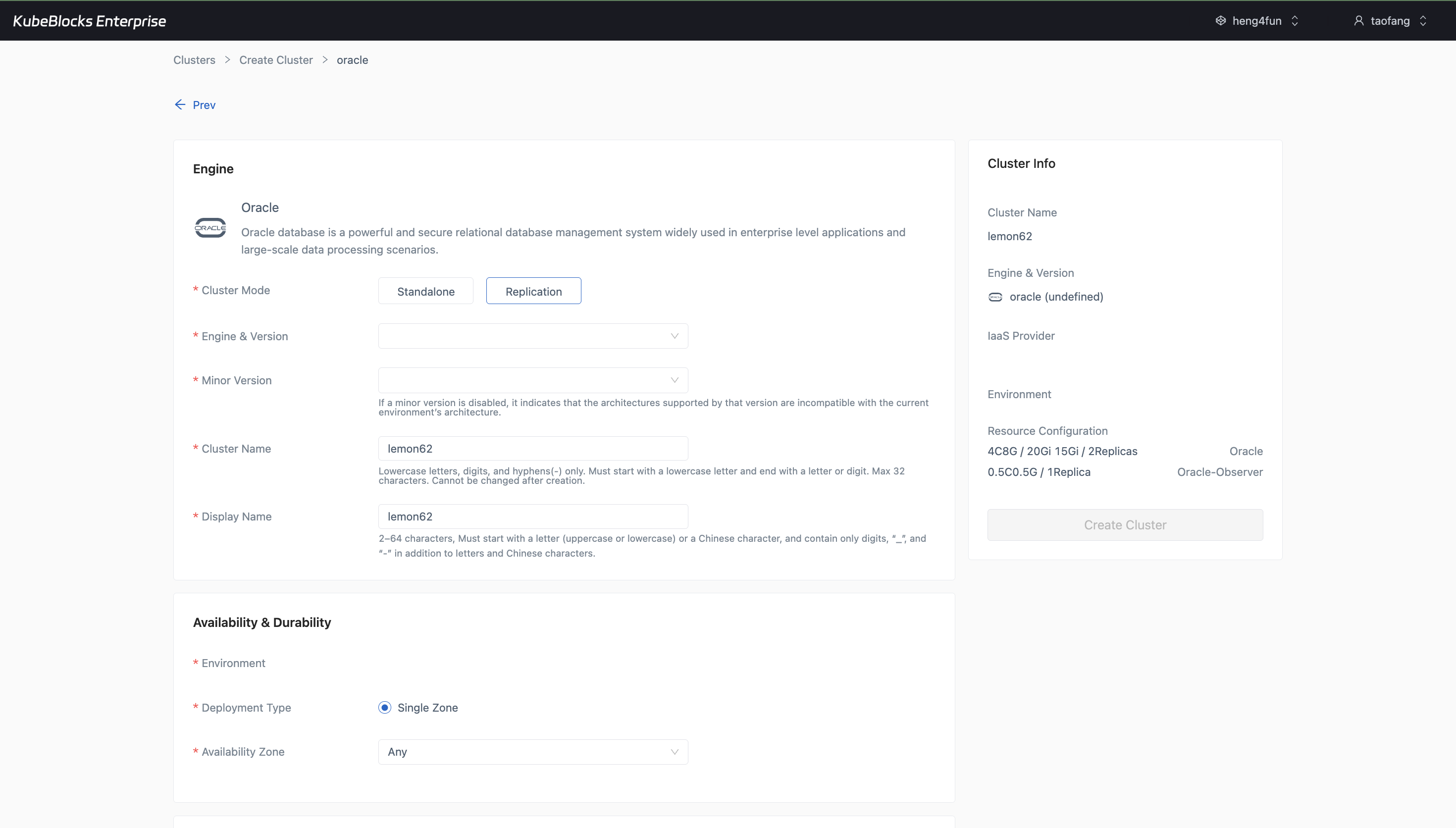
The creation wizard exposes replication topology, version, sizing, data storage, and FRA storage choices before Oracle provisioning begins.
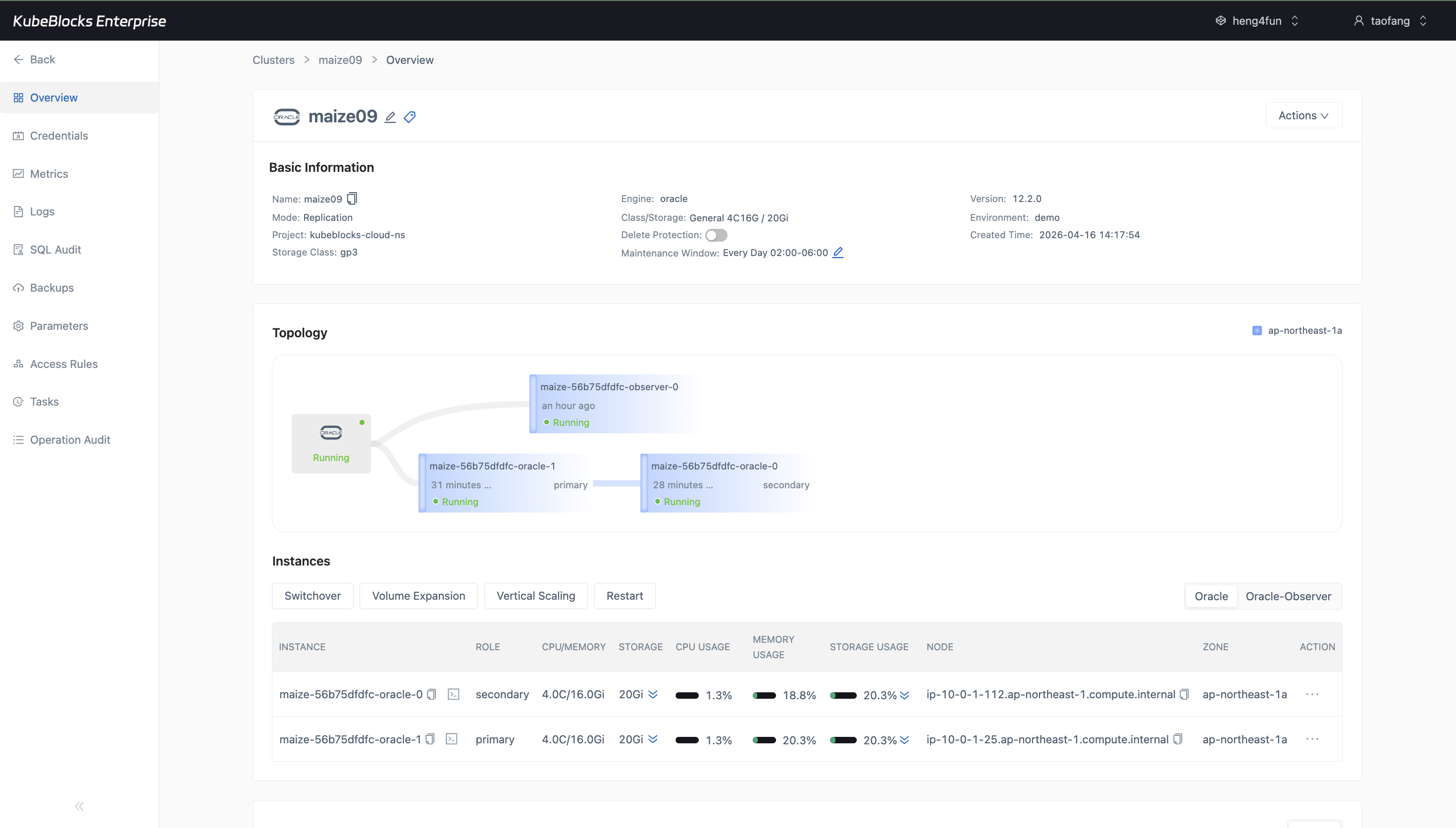
The Oracle overview keeps topology, current service state, and lifecycle action entry points visible in one operational view.
Create Oracle clusters and track service state changes in context
Users can start from the Oracle creation wizard, choose the target topology and resources, then keep routine lifecycle state changes visible from the same cluster workspace.
- Create Oracle 12c replication clusters with topology, version, CPU and memory class, data storage, and FRA storage choices visible before provisioning.
- Use the cluster overview to review engine version, topology, instance health, service status, and persistent storage layout after creation starts.
- Keep service-state entry points such as Stop Cluster, Restart, and Switchover in the same cluster workspace for day-2 lifecycle work.
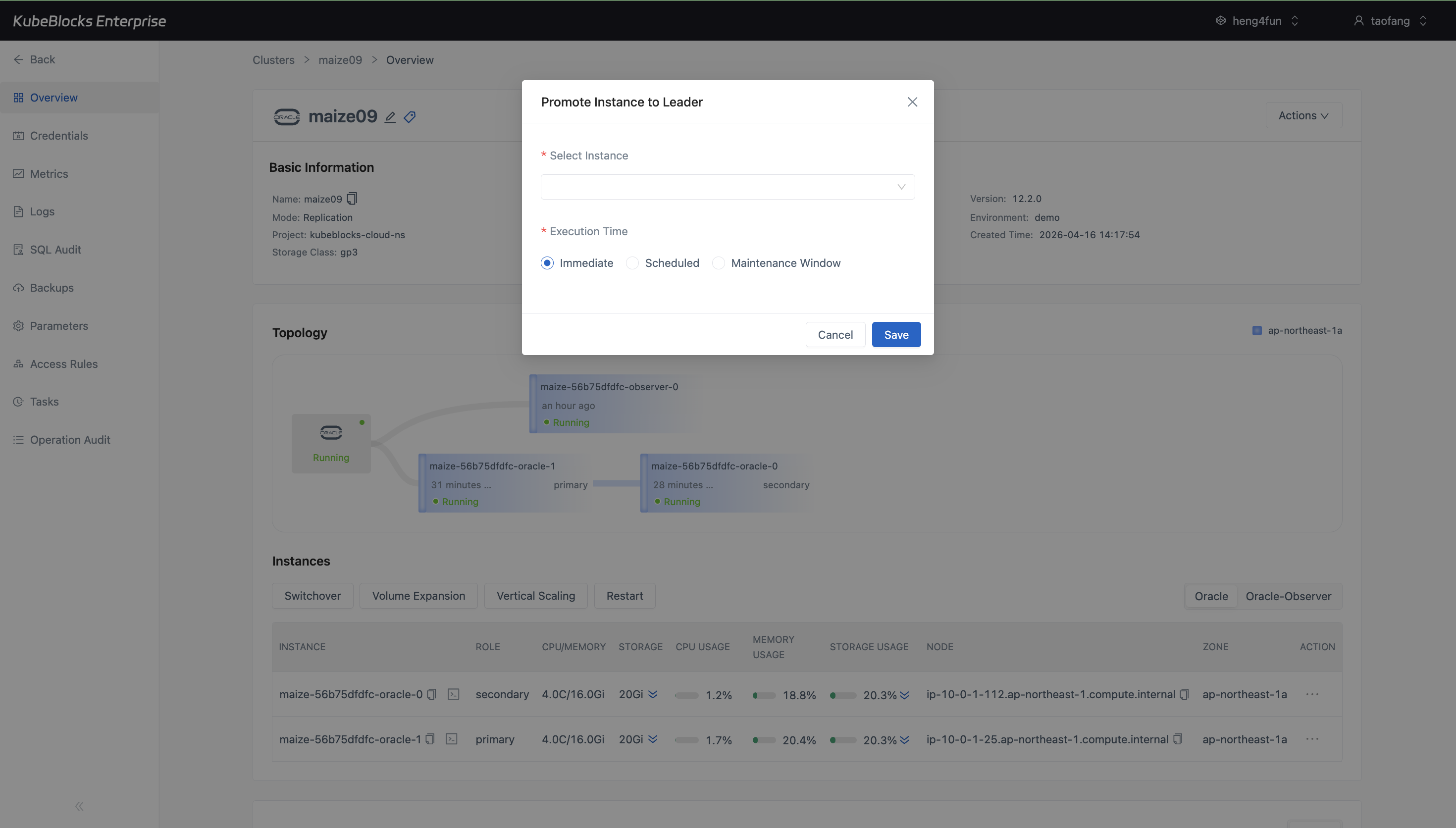
The switchover dialog keeps the target instance selector and execution timing controls in one place for planned Oracle role changes.
Run planned switchover with the target instance and timing in view
Oracle replication clusters expose a dedicated switchover workflow so users can promote the target instance to leader without leaving the cluster workspace.
- Open Switchover directly from the Oracle overview instead of searching for a separate high-availability page.
- Choose the target instance from the switchover dialog and keep execution timing visible before the change is submitted.
- Review planned role changes with the current topology still visible behind the dialog for quicker pre-change validation.
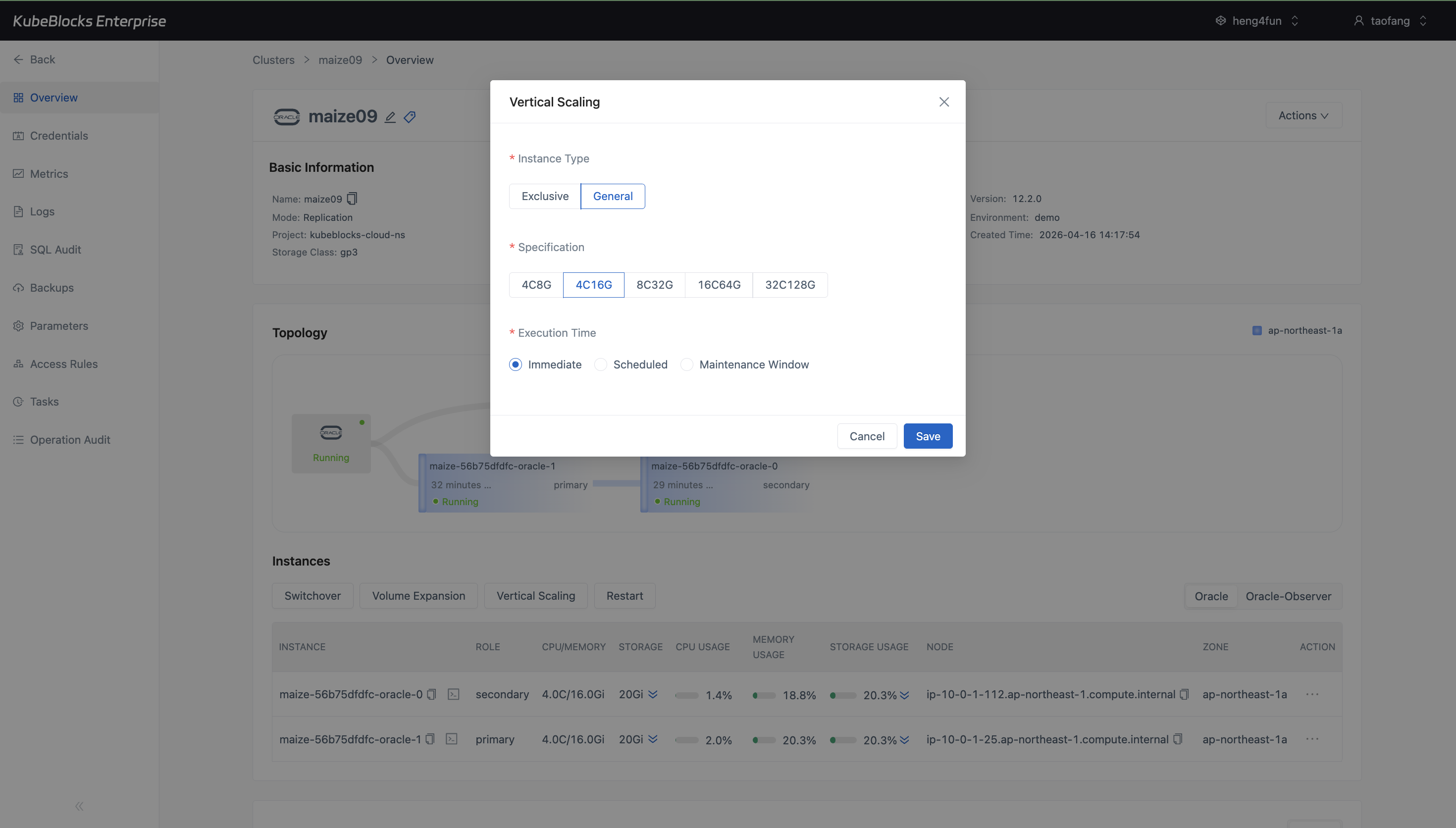
Vertical Scaling presents CPU and memory specification choices directly, making Oracle compute expansion easier to review before execution.
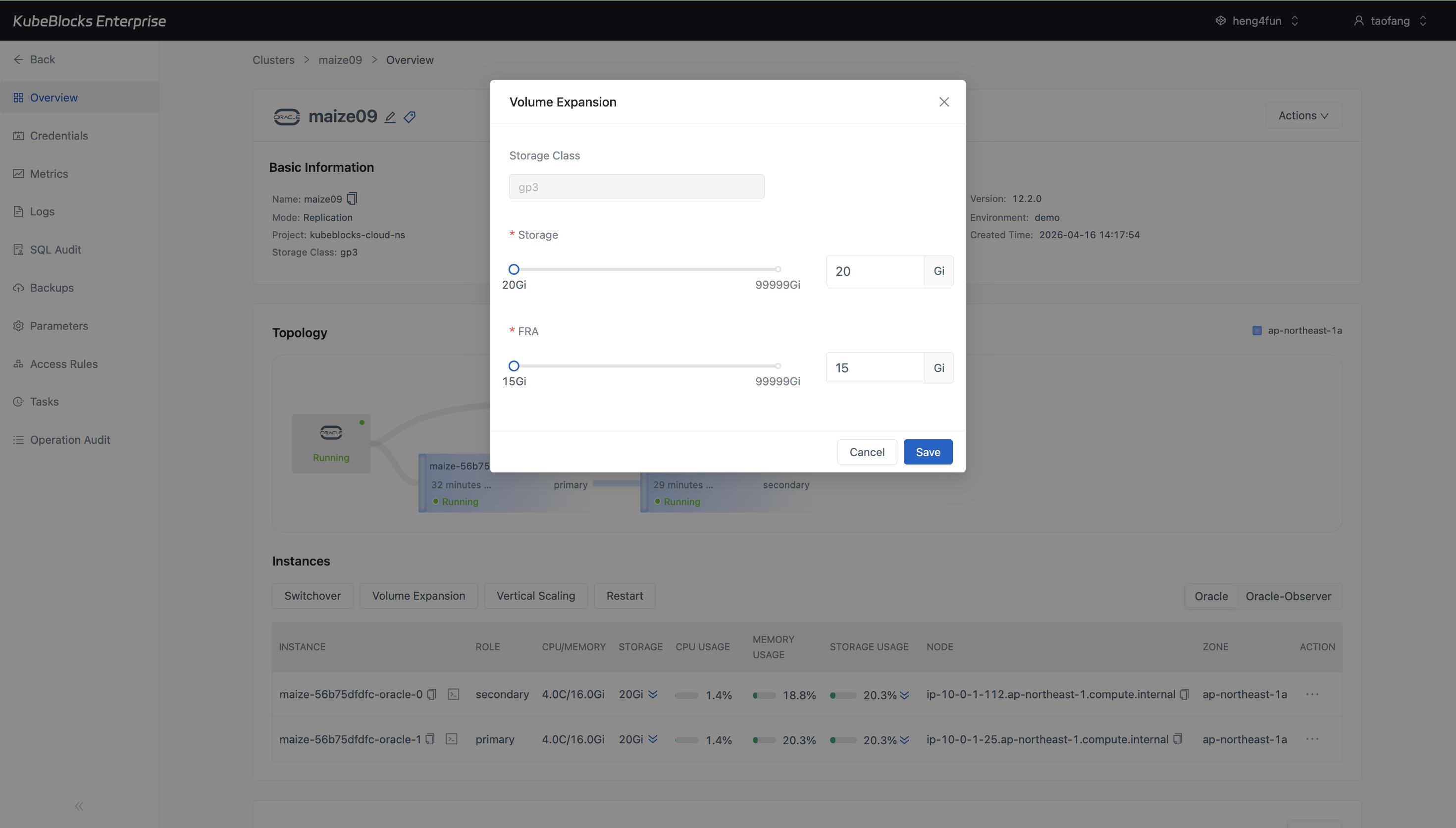
Volume Expansion shows both data storage and FRA capacity controls, giving users a clear review point before Oracle storage grows.
Scale Oracle compute and storage from dedicated capacity controls
Oracle scaling workflows keep CPU, memory, data storage, and FRA capacity choices visible before a change is submitted, so users can review both compute and storage expansion from the cluster workspace.
- Use Vertical Scaling to choose a larger CPU and memory specification from the overview when Oracle needs more compute headroom.
- Increase data volume capacity from a focused Volume Expansion dialog instead of editing infrastructure resources by hand.
- Adjust FRA storage capacity in the same workflow so archive and recovery space can grow alongside database storage.
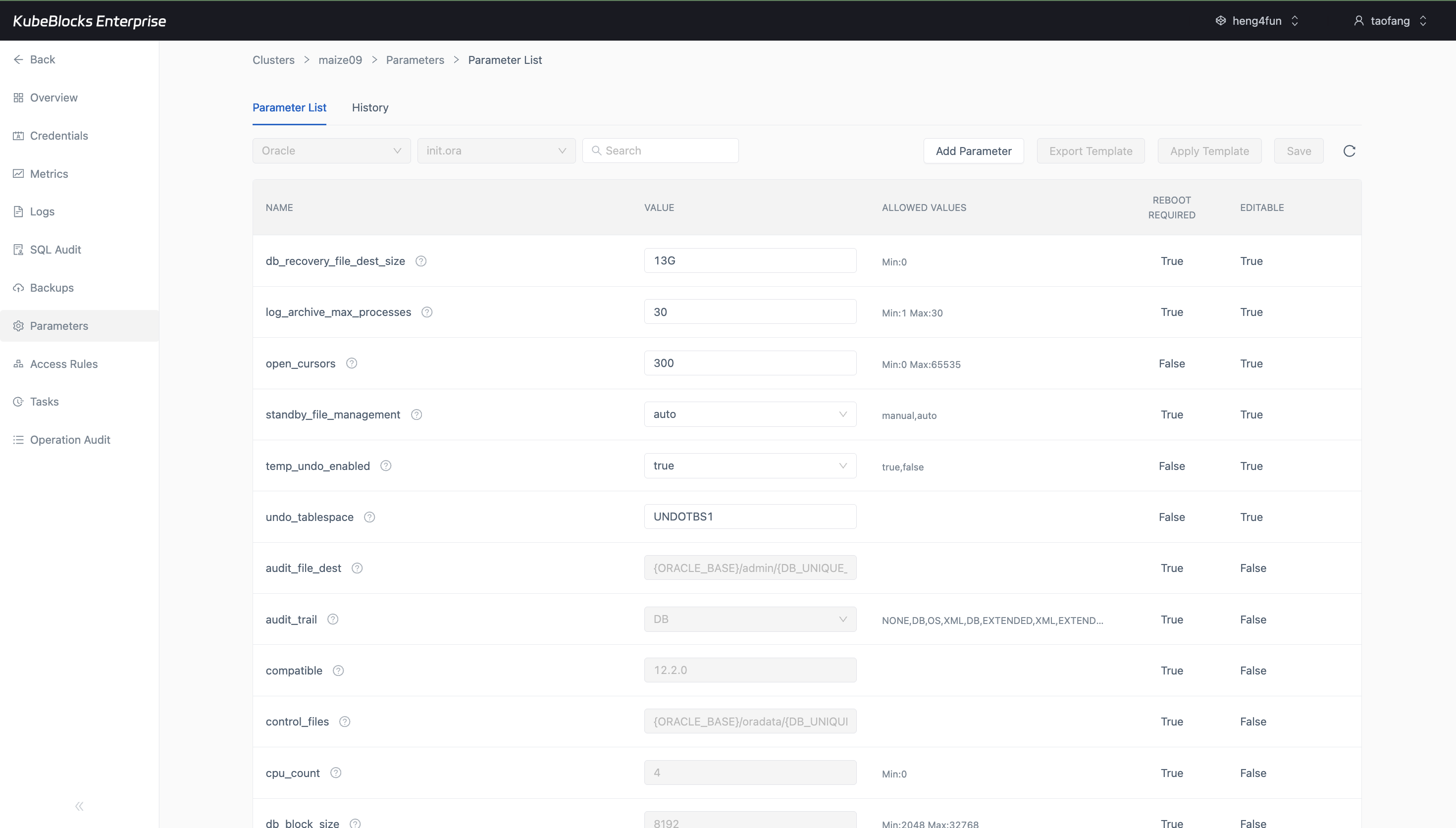
The Parameters workspace provides the tuning entry point and keeps configuration availability visible for Oracle users.
Review Oracle parameter exposure before tuning changes
The Oracle Parameters page keeps configuration review inside the cluster workspace and makes it clear whether editable runtime settings are exposed for the current engine state.
- Open Parameters directly from the Oracle cluster navigation instead of searching for a separate administration route.
- Use the parameter workspace to confirm which Oracle settings are available before planning a tuning change.
- Avoid presenting task status as tuning evidence when the parameter list itself is the authoritative configuration surface.
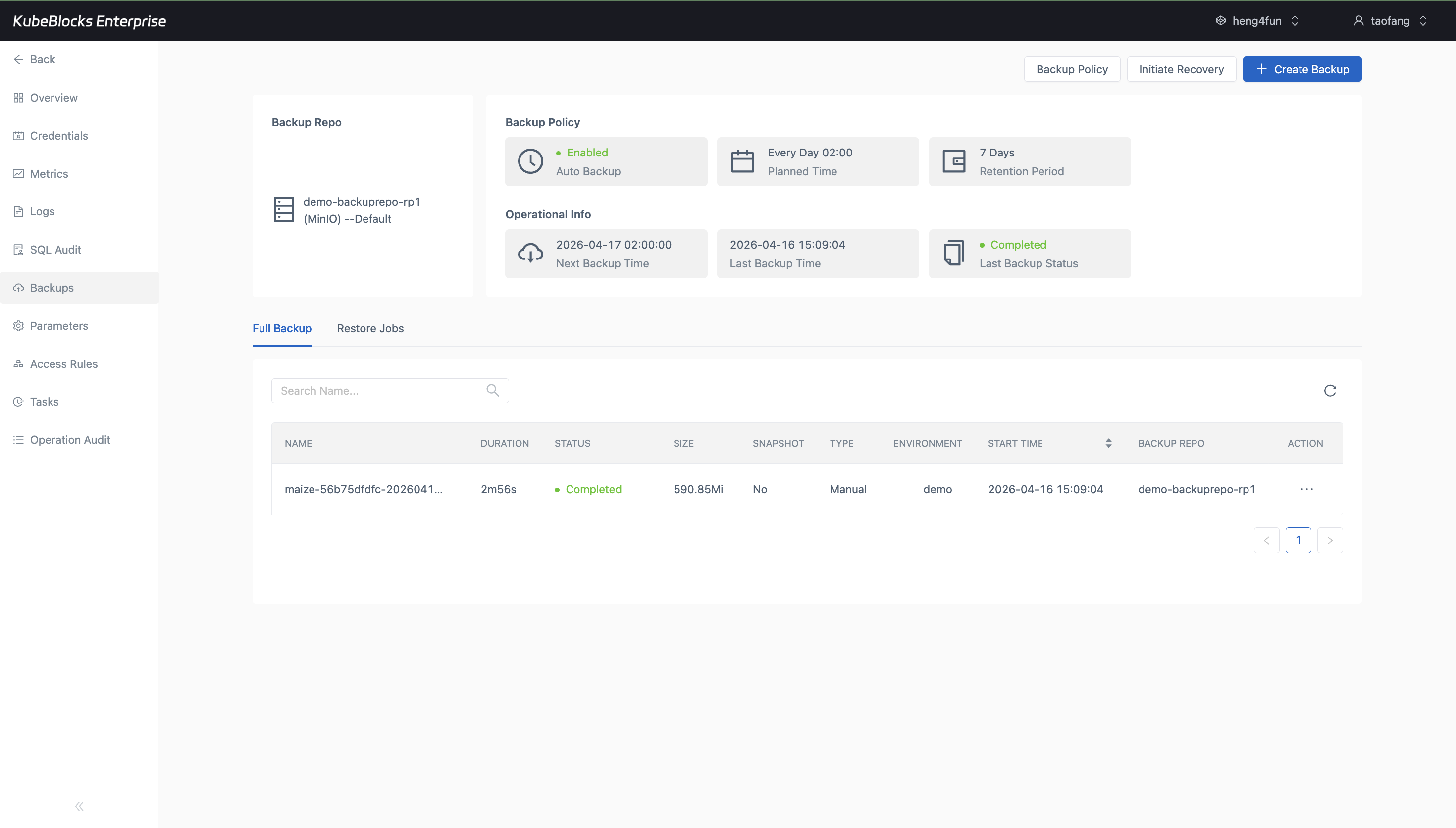
The Backups page keeps Oracle protection status and backup workflow behavior visible from the cluster context.
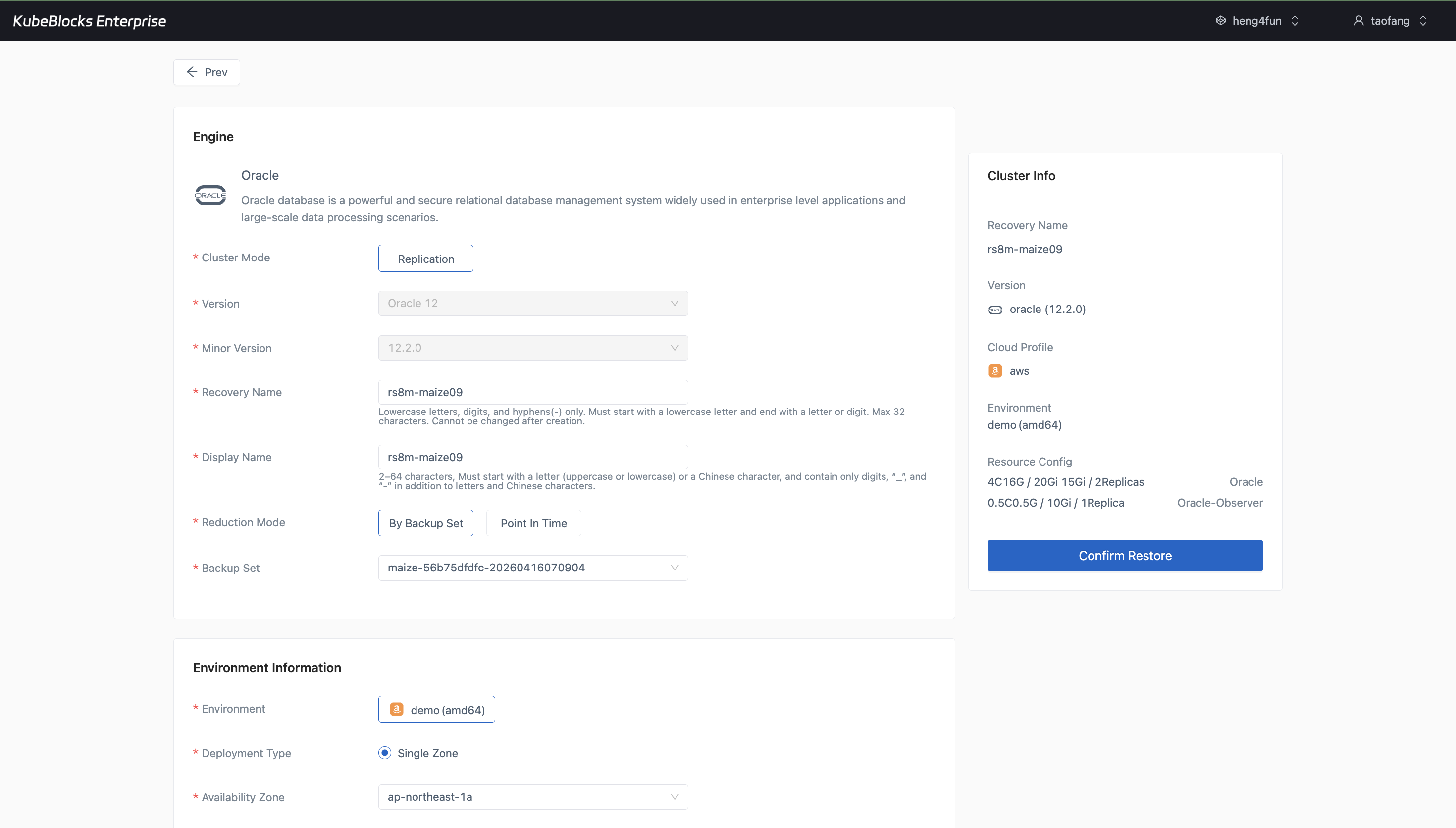
The restore wizard gives users a concrete Oracle recovery path to review before running a restore operation.
Confirm Oracle backup completion and restore readiness from one recovery workspace
Backup and restore stay close to the running Oracle cluster so users can review completed protection evidence, backup context, and recovery configuration without leaving the addon workflow.
- Open the Backups workspace to review completed full backup records with status, duration, size, repository, and retention context in one place.
- Use the restore wizard to inspect backup-set selection, topology, resource configuration, and storage settings before a recovery drill begins.
- Keep backup and restore evidence separate from lifecycle, scaling, and task audit records so recovery planning remains clear.
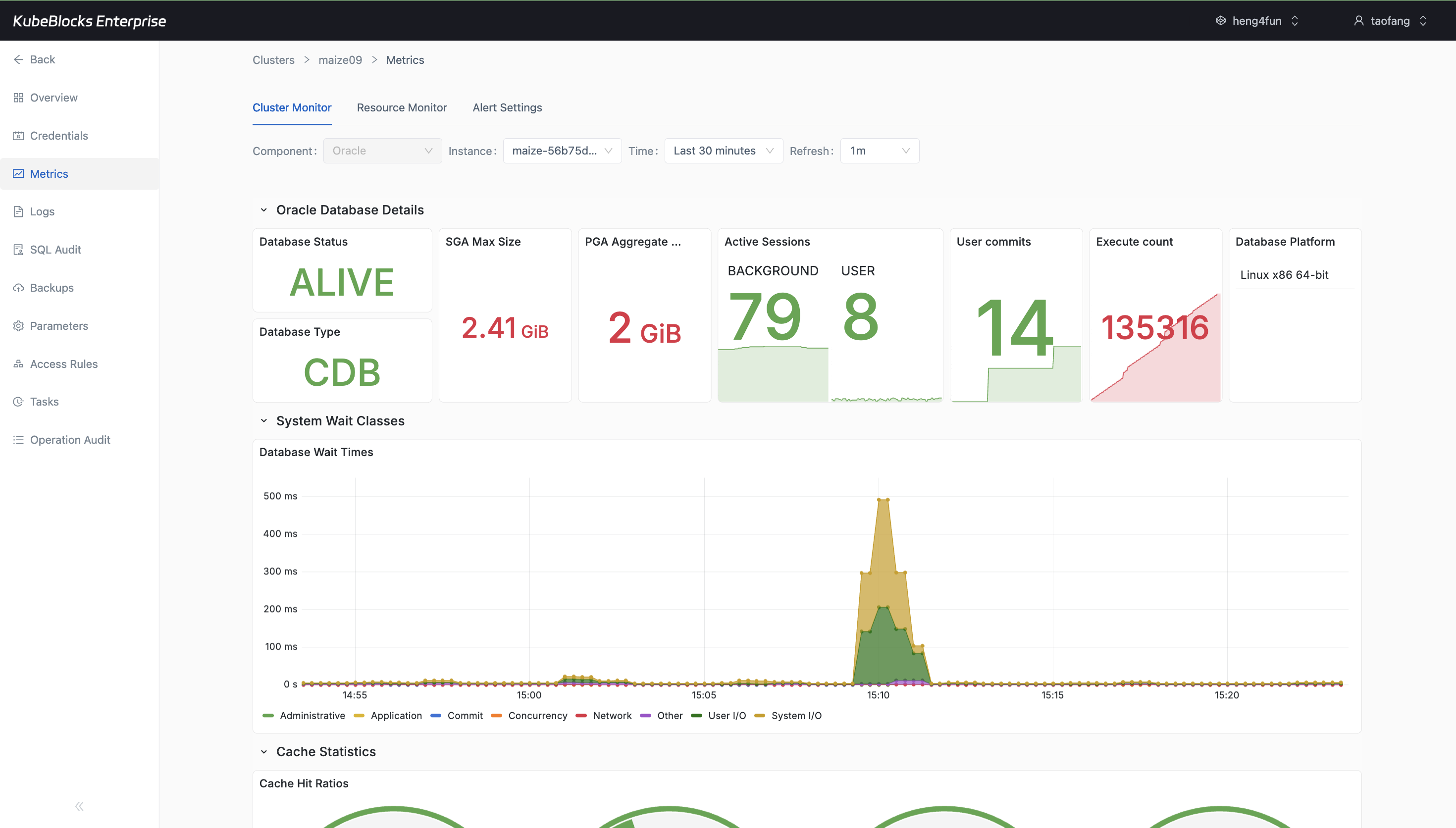
Cluster Monitor surfaces Oracle runtime signals without requiring users to leave the addon workspace.
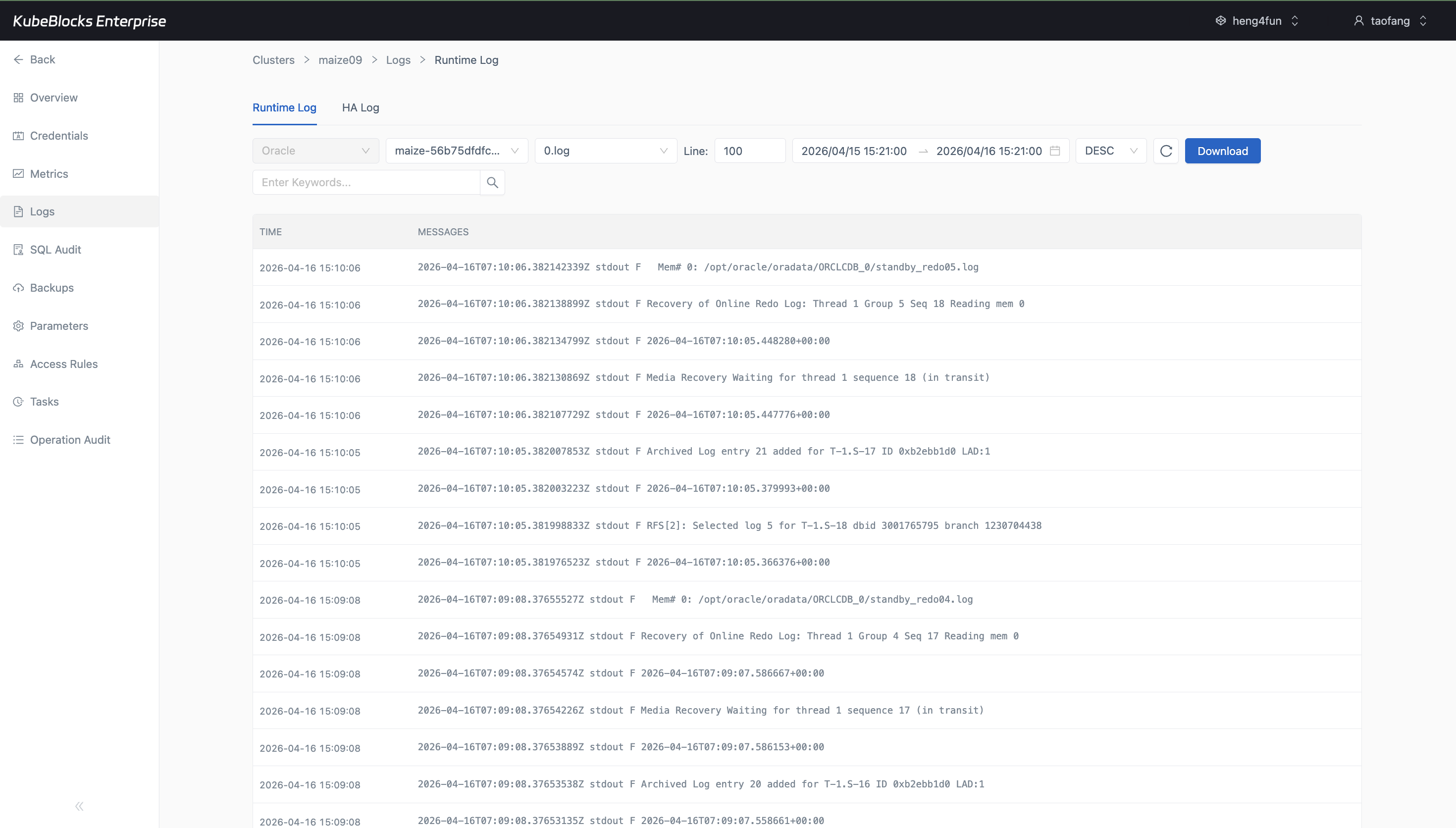
Runtime Log keeps Oracle service output available for troubleshooting and operational validation.
Monitor Oracle health and inspect runtime logs from cluster views
Metrics and logs help users validate Oracle runtime behavior from the same workspace used for lifecycle, scaling, and recovery workflows.
- Track Oracle health and resource behavior from the Cluster Monitor page after charts have time to hydrate.
- Inspect Runtime Log output when troubleshooting startup, workload, or service-state issues.
- Keep runtime visibility separate from audit history so users can distinguish live signals from change records.
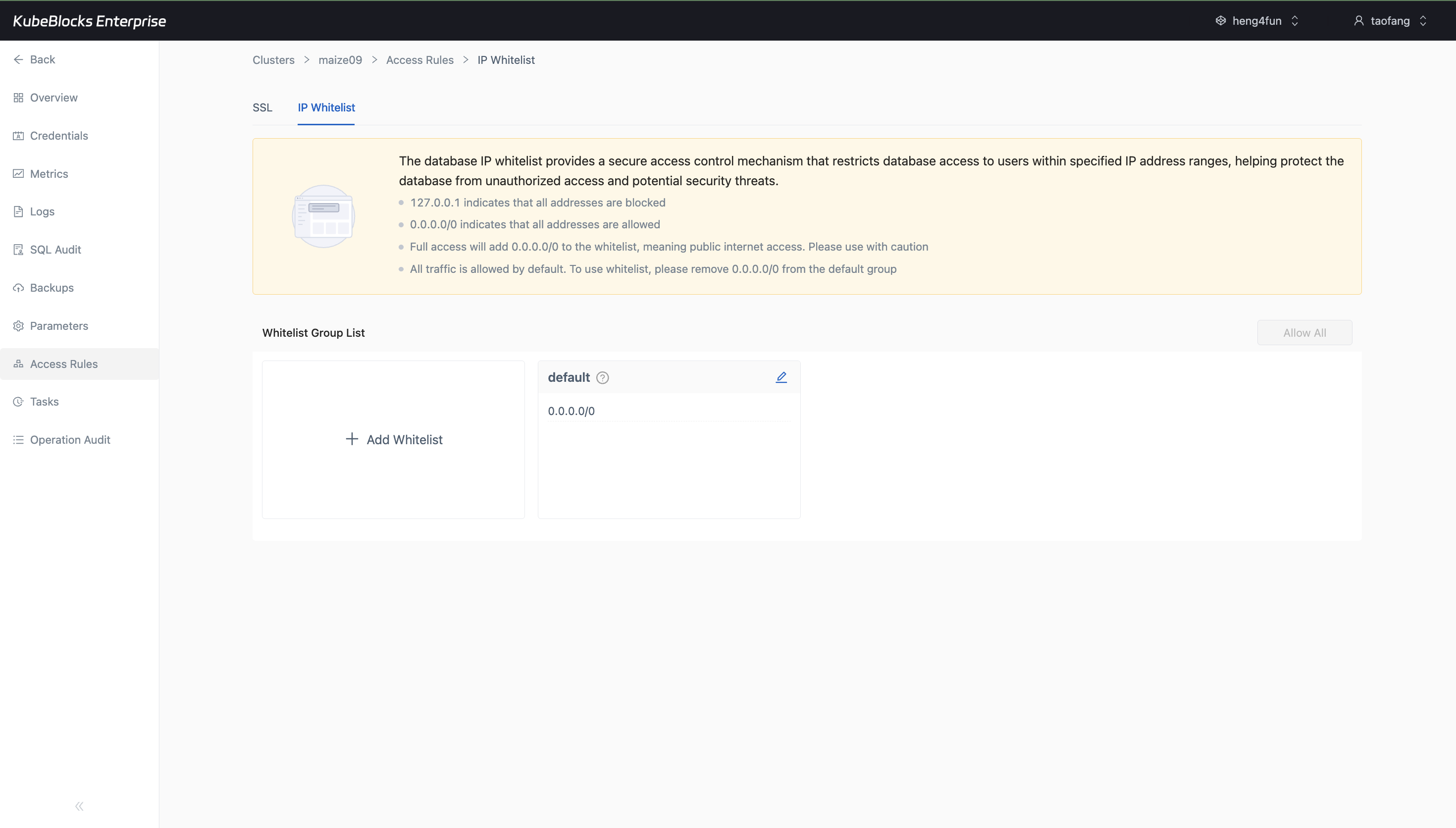
IP Whitelist management gives users a focused place to control which clients can reach the Oracle cluster.
Control Oracle reachability with IP whitelist rules
Access Rules gives users a dedicated place to review Oracle network exposure and manage allowlist groups before client traffic is opened.
- Use the IP Whitelist tab to review default access behavior and the CIDR ranges allowed to reach the database.
- Add whitelist groups from the same access-control workspace instead of mixing network policy into account or schema workflows.
- Reduce accidental exposure by keeping endpoint reachability and allowlist decisions visible before users connect applications.
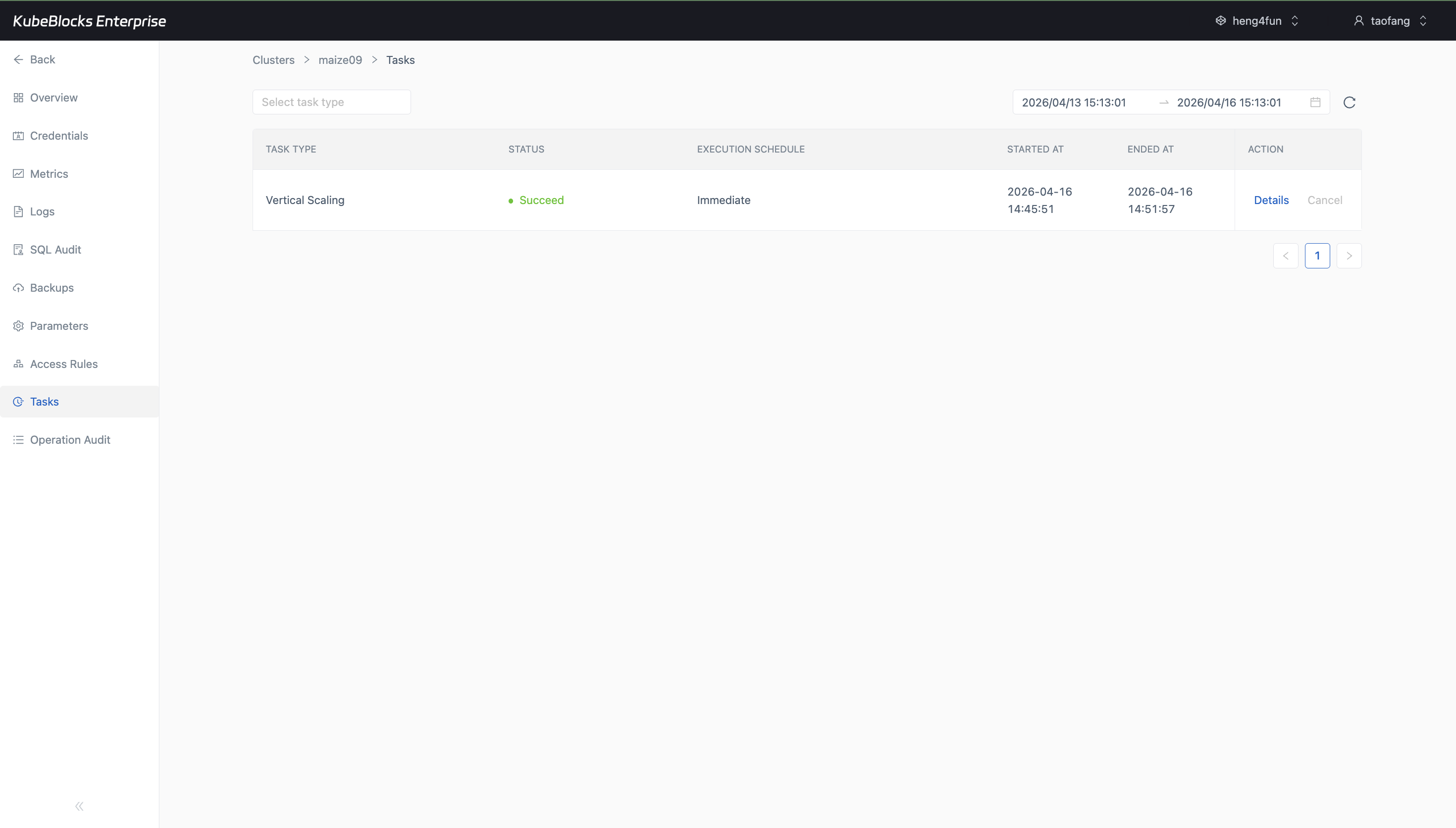
Task history captures the operational trail behind Oracle lifecycle, scaling, and recovery workflows.
Track Oracle day-2 changes through task history
Oracle audit coverage is presented through task history in this addon page, giving users a practical trail for lifecycle, scaling, and recovery actions that actually ran in the cluster workspace.
- Review task outcomes such as Vertical Scaling and other day-2 operations from one timeline instead of piecing evidence together across multiple pages.
- Use task records to confirm what changed, when it started, and whether the workflow completed or remained in progress.
- Keep operational audit evidence focused on Tasks so users can trace cluster-level changes from one timeline.
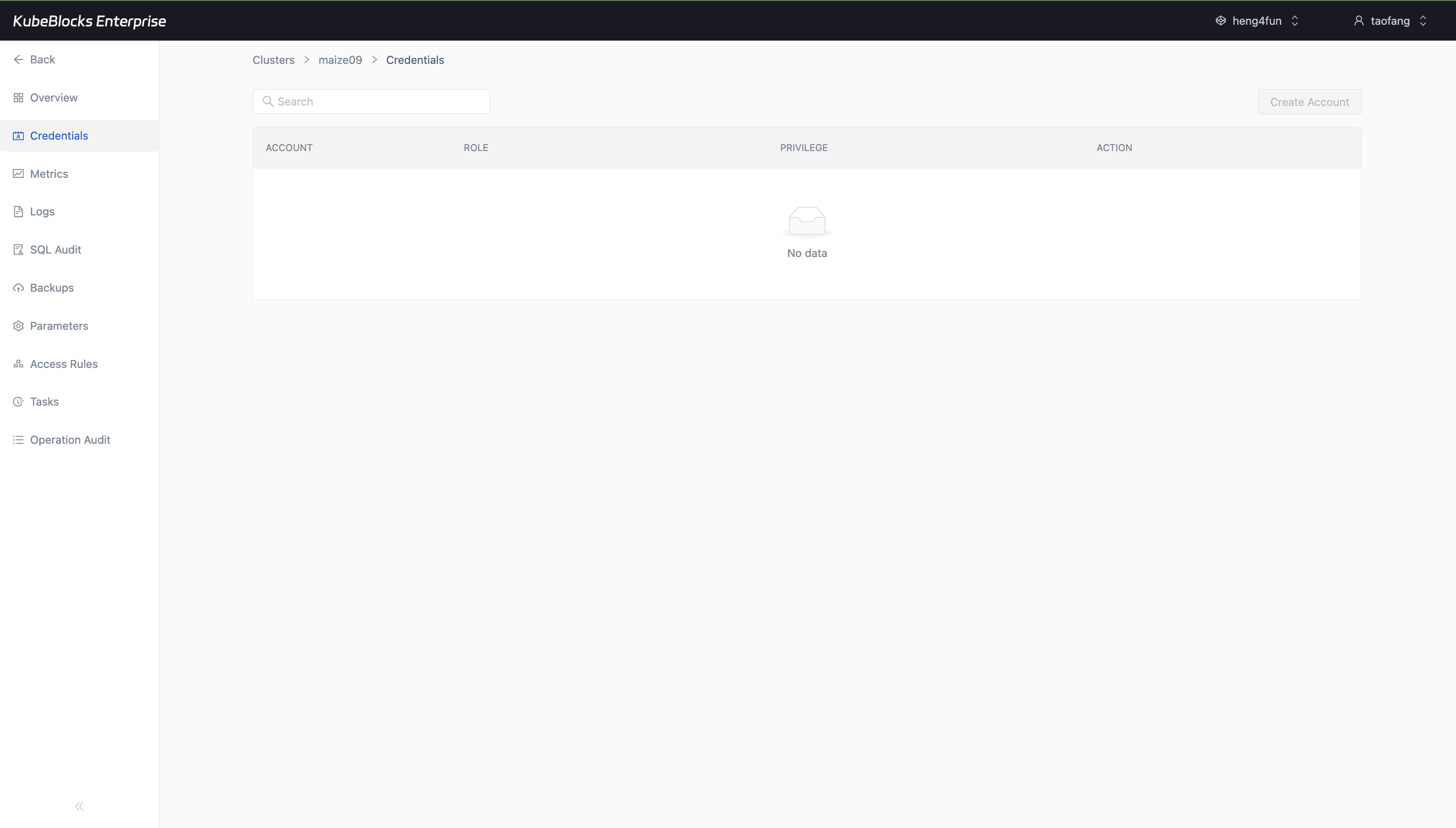
The Credentials page shows the Oracle account-management entry point and makes current readiness visible before users plan application handoff.
Review Oracle account readiness from the Credentials workspace
Credentials keeps account-management readiness visible for Oracle users, including whether the current cluster state allows a Create Account workflow to continue.
- Open Credentials from the Oracle cluster navigation to review account records and available account actions.
- Use the Create Account entry point when it is enabled for the current cluster state and permission scope.
- Keep account readiness separate from network reachability, runtime monitoring, and task audit evidence.
Ready to build your own DBaaS on Kubernetes?
Talk to our team and see how KubeBlocks Enterprise can help you consolidate databases, strengthen security, and reduce operational costs.