

KubeBlocks for
SQL Server
Microsoft SQL Server is a leading enterprise relational database with advanced analytics, in-memory processing, and built-in business intelligence. It delivers high availability and security for mission-critical workloads across hybrid cloud environments.
Supported versions
Available on
 AWS
AWS Azure
Azure GCP
GCP OCI
OCI Alibaba Cloud
 Rancher
 OpenShift
Databases
 MySQL
MySQL PostgreSQLOracle
 SQL Server
 Redis
Redis MongoDB
 ClickHouse
Vector & AI
 Qdrant
 Milvus
 Elasticsearch
Message queues
 RocketMQ
 RabbitMQ
 Kafka
KafkaOthers
 VictoriaMetrics
 InfluxDB
 etcd
etcd ZooKeeper
Extend database engines like plug-ins
KubeBlocks provides unified database operations through its addon-based architecture. With KubeBlocks Enterprise, access over 15 seamless integrations to scale your database services.
One control plane, consistent operations across all engines — powered by the addon mechanism.
Run SQL Server with real lifecycle, availability, scaling, and recovery workflows
Operate SQL Server through lifecycle, high availability, scaling, tuning, backup, observability, accessibility, audit, and data management workflows, with each section anchored to captured product evidence.
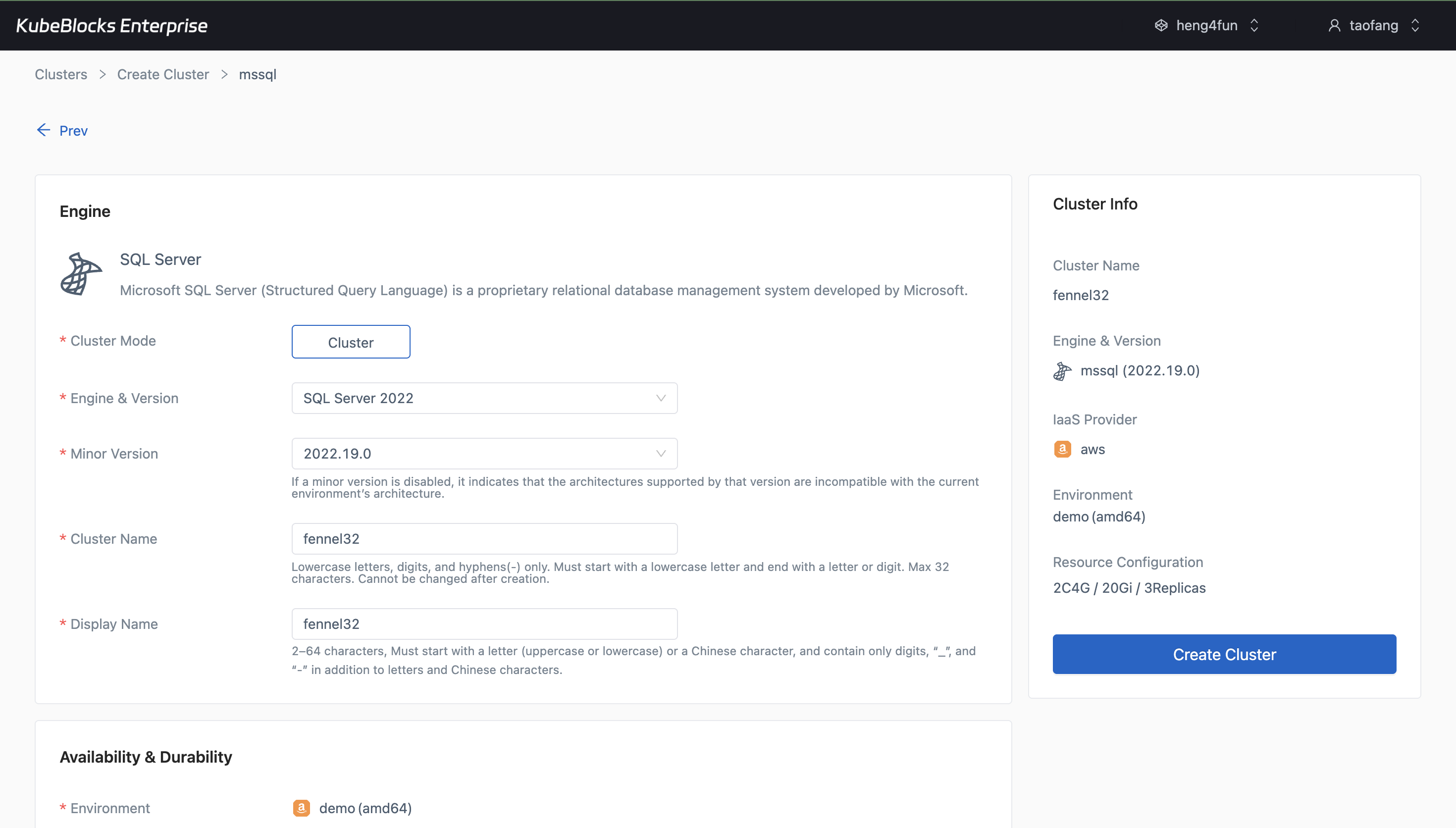
The create wizard lets teams launch SQL Server with HA topology, compute, storage, backup, and maintenance settings already aligned with operational standards.
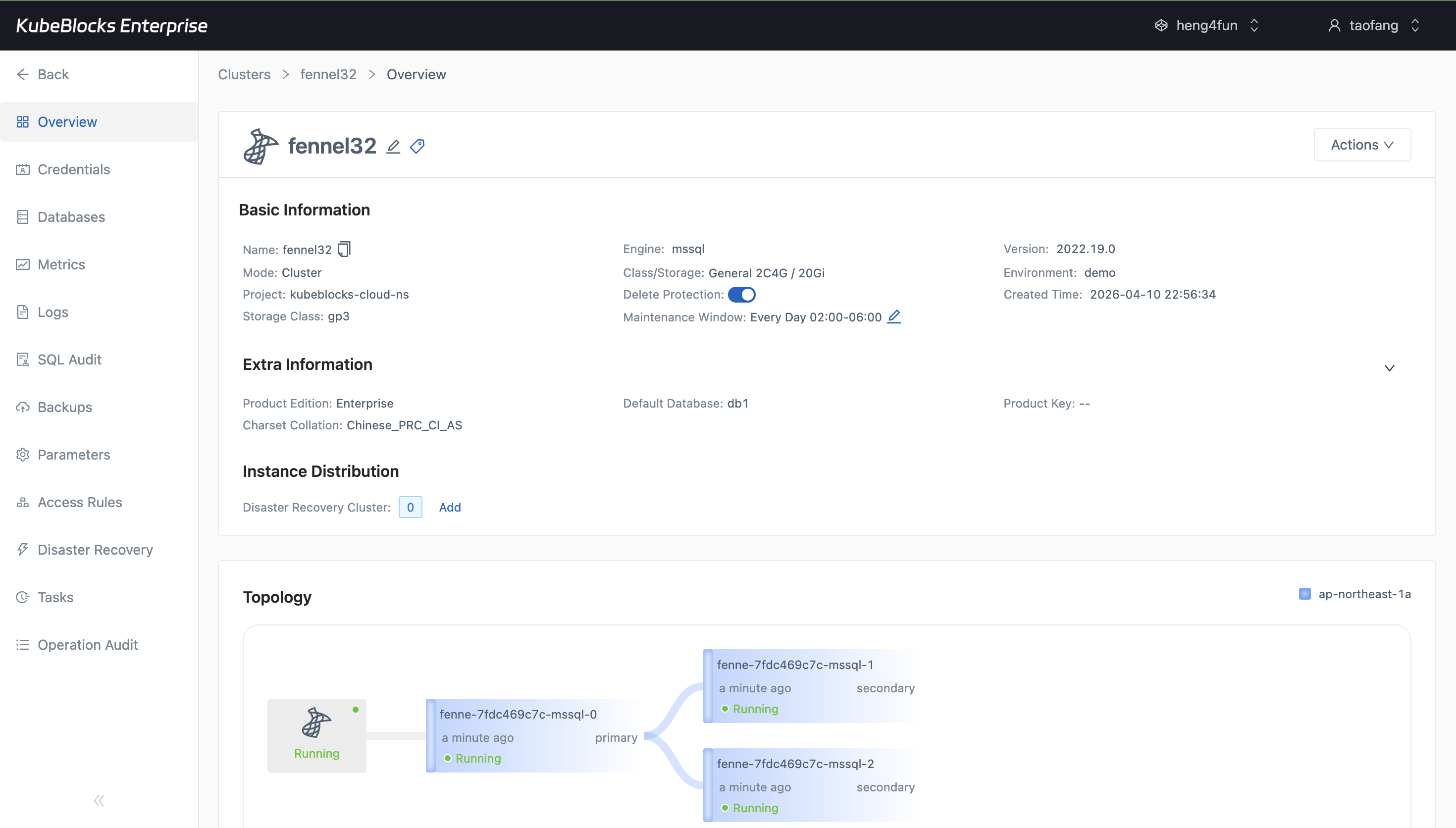
After provisioning, the overview keeps topology, role layout, sizing, and connection context visible from the first day of operation.
Launch SQL Server clusters and manage service lifecycle from one workspace
Deploy SQL Server 2022 with the topology, replicas, compute profile, storage, backup policy, and maintenance settings your team needs, then keep ongoing lifecycle actions close to topology and status context.
- Create a highly available three-replica SQL Server cluster with guided version, sizing, storage, backup, and protection settings.
- Review the running cluster overview with topology, connection details, and day-2 controls immediately after provisioning.
- Keep routine lifecycle entry points and service-state visibility in the same SQL Server workspace instead of switching between tools.
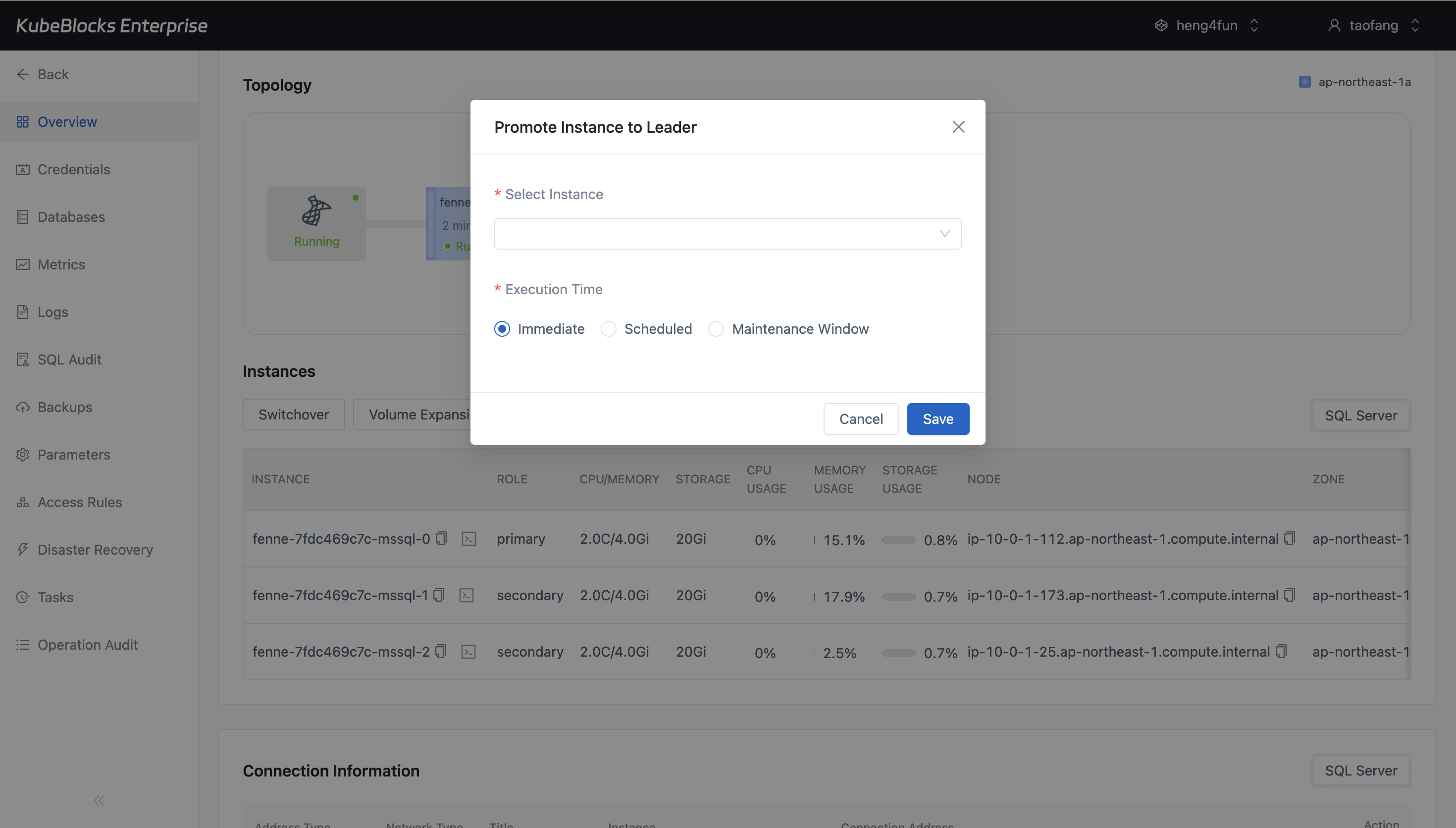
Promote Instance to Leader keeps planned SQL Server role changes visible in the same workspace as topology and health context.
Promote a replica to leader with the target selected from topology context
Perform planned role changes with the real SQL Server topology in view so teams can choose the target instance confidently and verify leader movement with less guesswork.
- Open the Promote Instance to Leader flow from the running cluster overview.
- Choose the target instance from the live topology context instead of tracking nodes out of band.
- Support controlled role transitions for maintenance and availability planning.
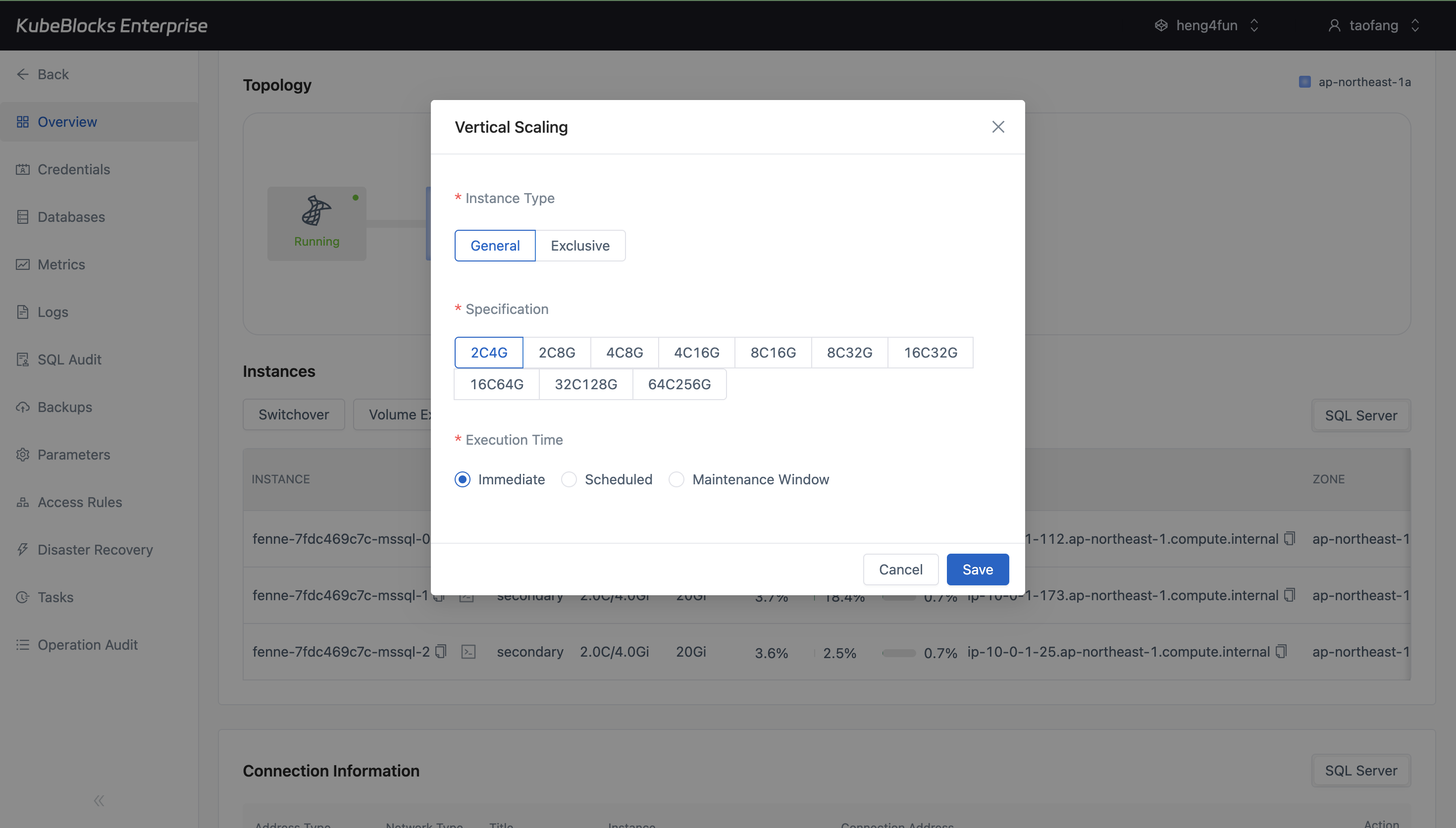
Vertical Scaling makes compute expansion straightforward by exposing larger SQL Server instance profiles directly from the cluster page.
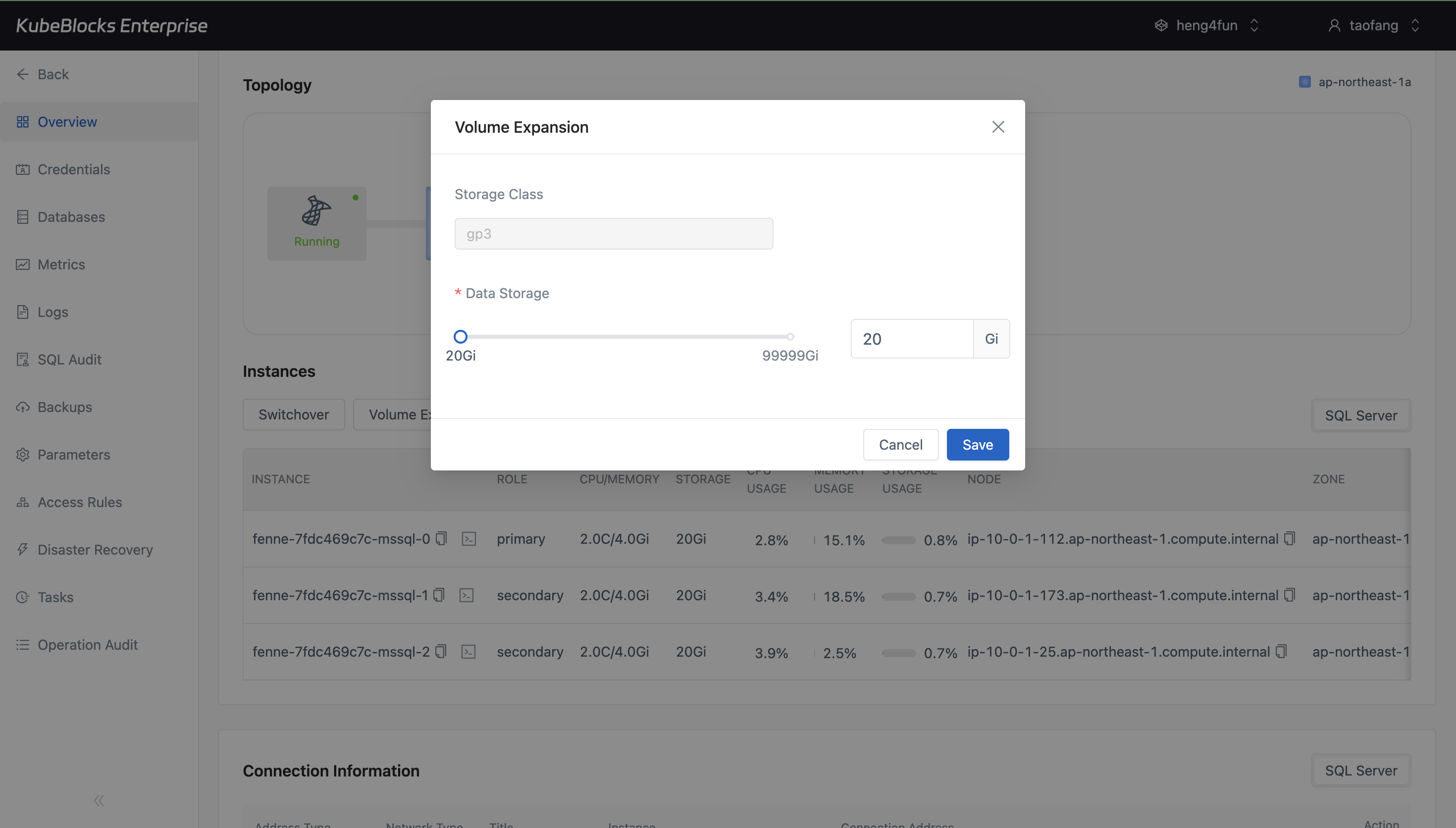
Volume Expansion gives teams a dedicated workflow for growing SQL Server storage as database size rises.
Expand compute and storage without leaving the SQL Server console
Adapt SQL Server capacity to changing workload demand by resizing instance specifications and persistent storage from guided workflows tied to the running cluster.
- Use Vertical Scaling to move to larger CPU and memory profiles as transactional demand grows.
- Use Volume Expansion to increase persistent storage capacity without rebuilding the cluster footprint.
- Keep scaling decisions tied to the same operational context used for runtime visibility and lifecycle control.
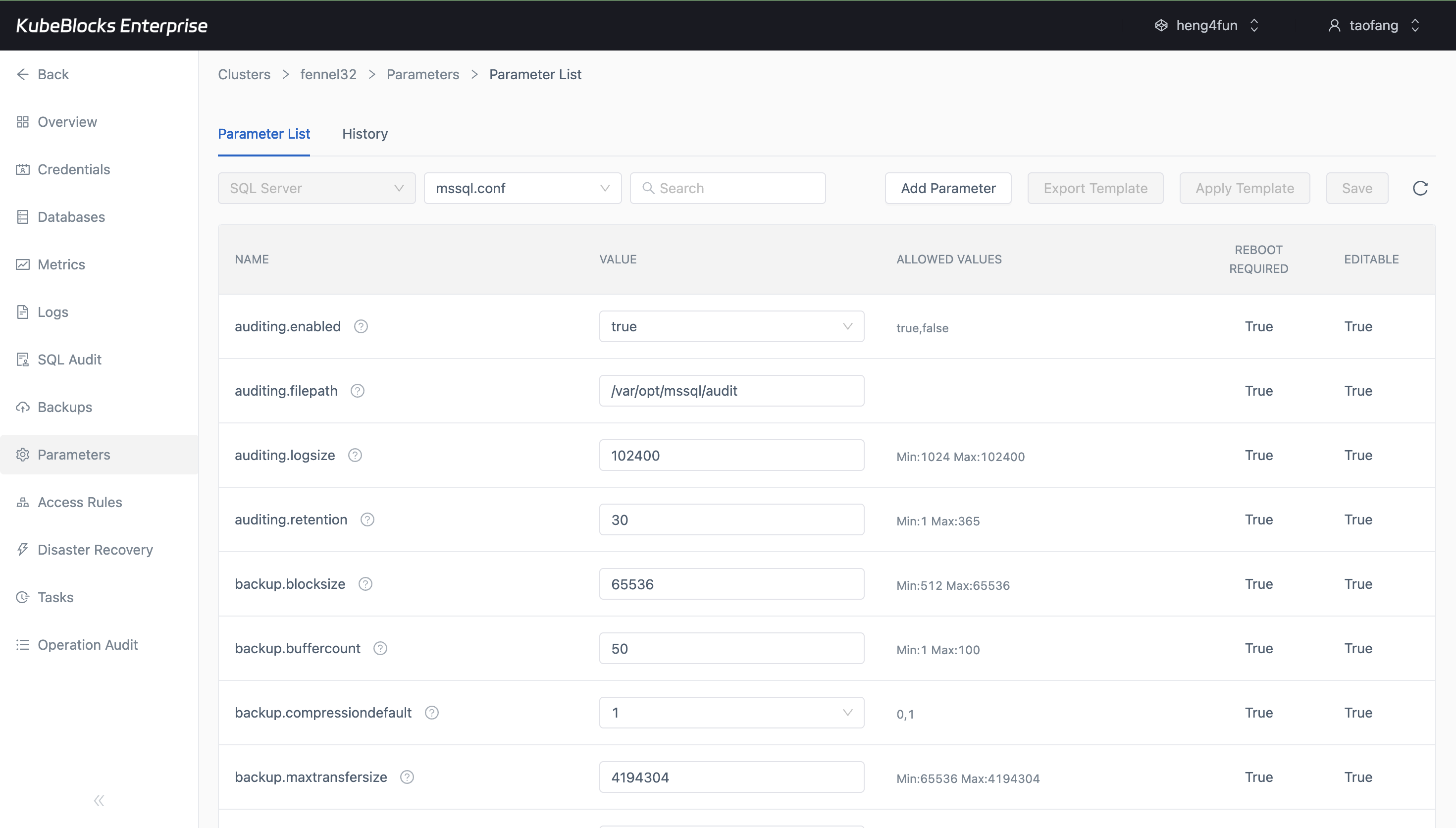
The parameters page gives teams a focused place to review SQL Server settings, reboot requirements, and configuration changes.
Tune SQL Server parameters from a dedicated configuration surface
Review and adjust SQL Server runtime settings from the parameter list so configuration tuning stays separate from lifecycle, scaling, and data management workflows.
- Inspect live `mssql.conf` parameters from the SQL Server parameters page.
- Add or edit configurable values through a settings-focused workflow with clear reboot requirements.
- Keep configuration changes easier to review by separating them from resource and lifecycle actions.
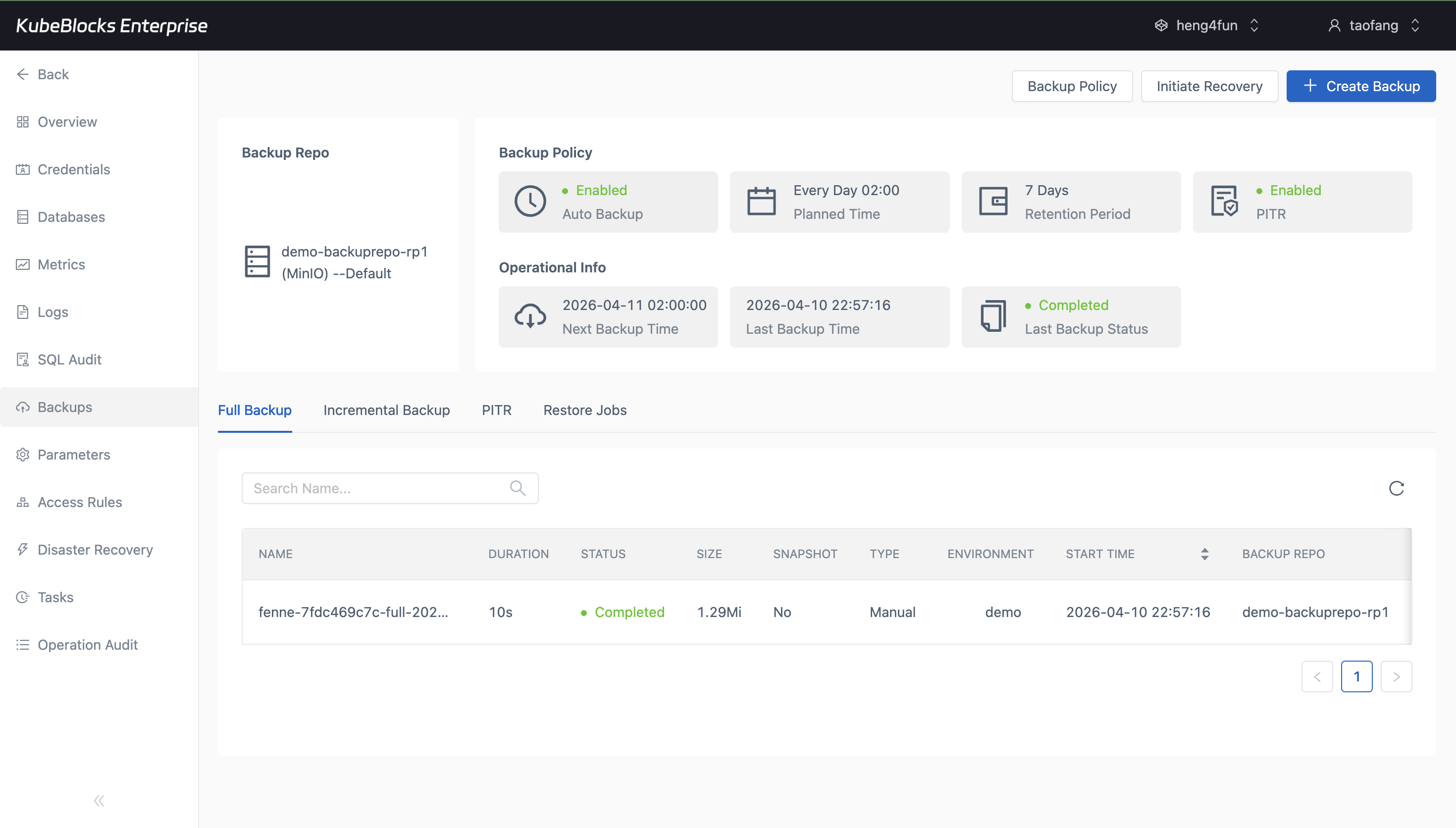
The backups page keeps SQL Server protection status, backup size, repository, and policy context visible from the same operational workspace.
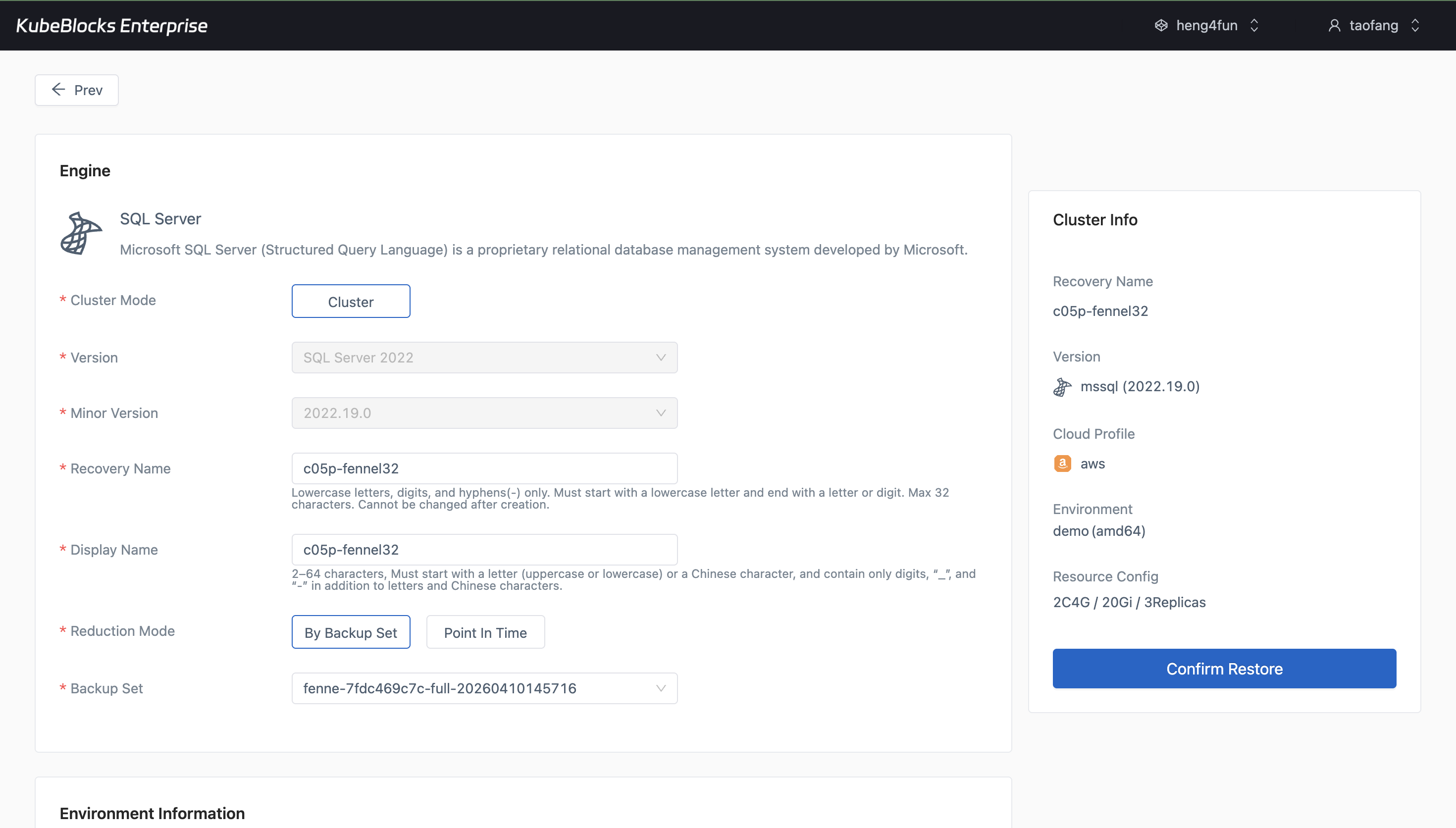
Restore guides teams through SQL Server restore setup when they need validation, recovery rehearsal, or incident response preparation.
Protect SQL Server data with built-in backup and restore flows
Keep SQL Server protection points and recovery workflows inside the addon experience so teams can validate retention, backup status, and restore readiness without external runbooks.
- Review completed full backups together with size, repository, schedule, and retention details.
- Open Restore from the backup workspace when teams need restore validation or recovery planning.
- Treat backup and restore as first-class SQL Server operations rather than afterthoughts.
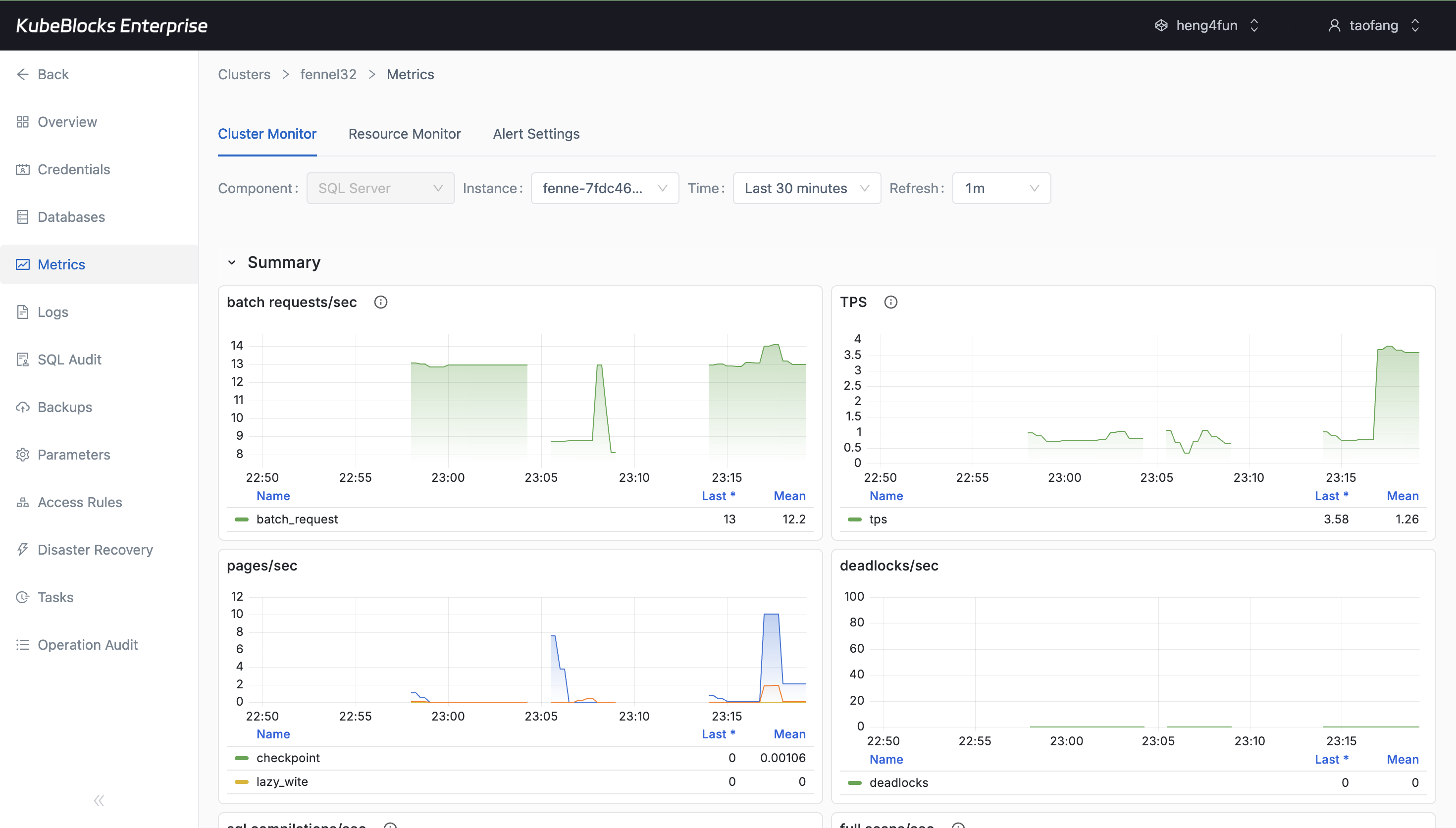
Metrics bring SQL Server monitoring into the same console used for lifecycle and data operations, helping teams catch issues earlier.
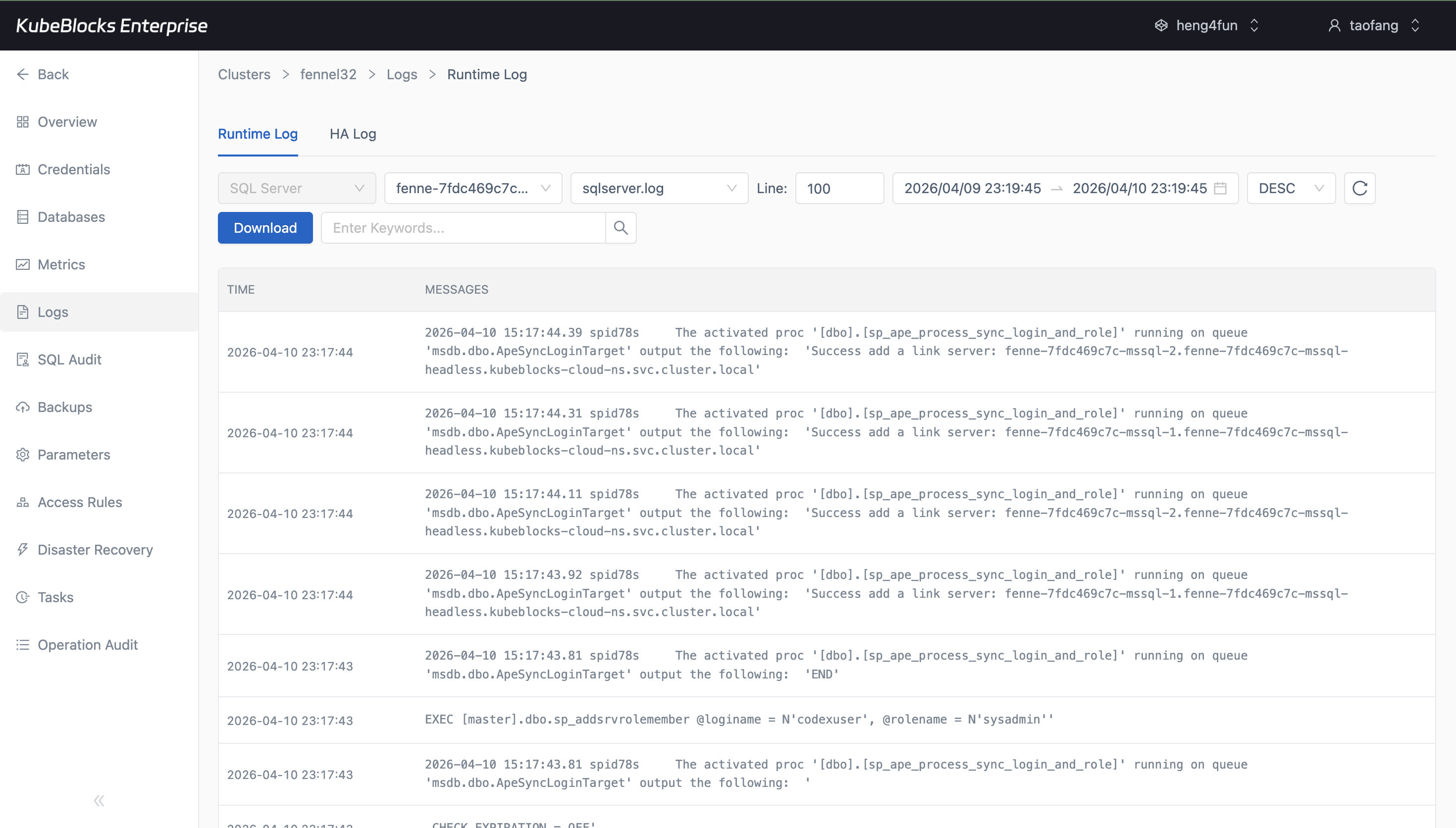
Runtime Log surfaces real SQL Server activity such as `kb_test` replication and account synchronization events for faster troubleshooting.
Monitor SQL Server health with metrics and runtime logs
Track runtime health, resource behavior, and SQL Server events from built-in dashboards and logs so troubleshooting stays close to the workload instead of spreading across multiple tools.
- Use Cluster Monitor to review SQL Server cluster and resource views.
- Inspect Runtime Log output for Always On activity, database events, and account synchronization messages.
- Give teams the operational evidence they need for diagnosis without leaving the control plane.
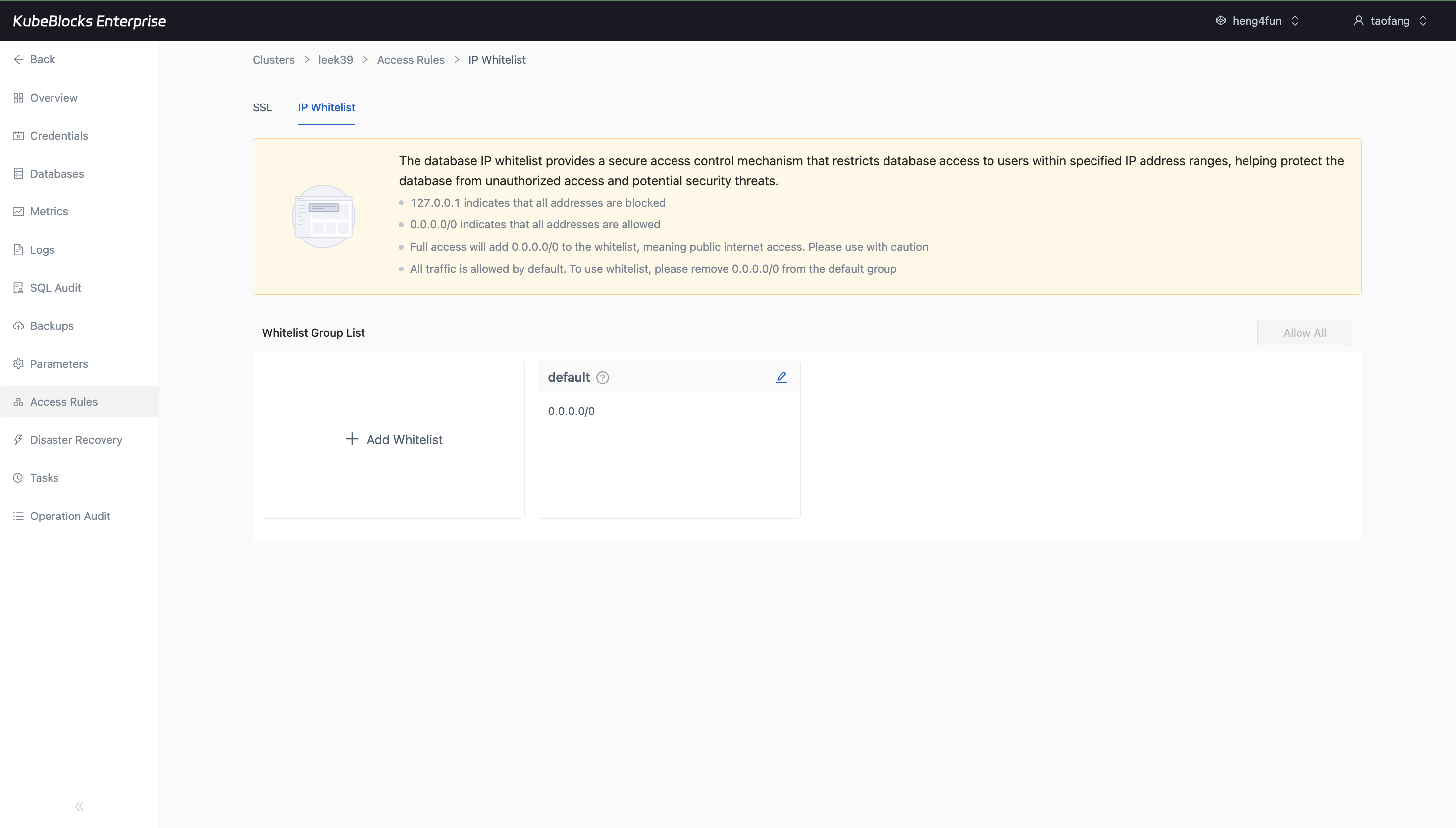
The IP Whitelist workspace keeps whitelist groups and allowed CIDR ranges visible so teams can review SQL Server reachability before opening traffic.
Control SQL Server reachability from the IP Whitelist workspace
Keep network entry policy close to the cluster so teams can review allowed CIDR ranges, default access behavior, and whitelist groups before exposing SQL Server to clients.
- Open IP Whitelist directly from Access Rules to review current allowlist behavior without switching to a separate network console.
- Check the default group and allowed CIDR ranges before narrowing or expanding SQL Server access paths.
- Keep connection policy separate from account creation and schema workflows for clearer governance.
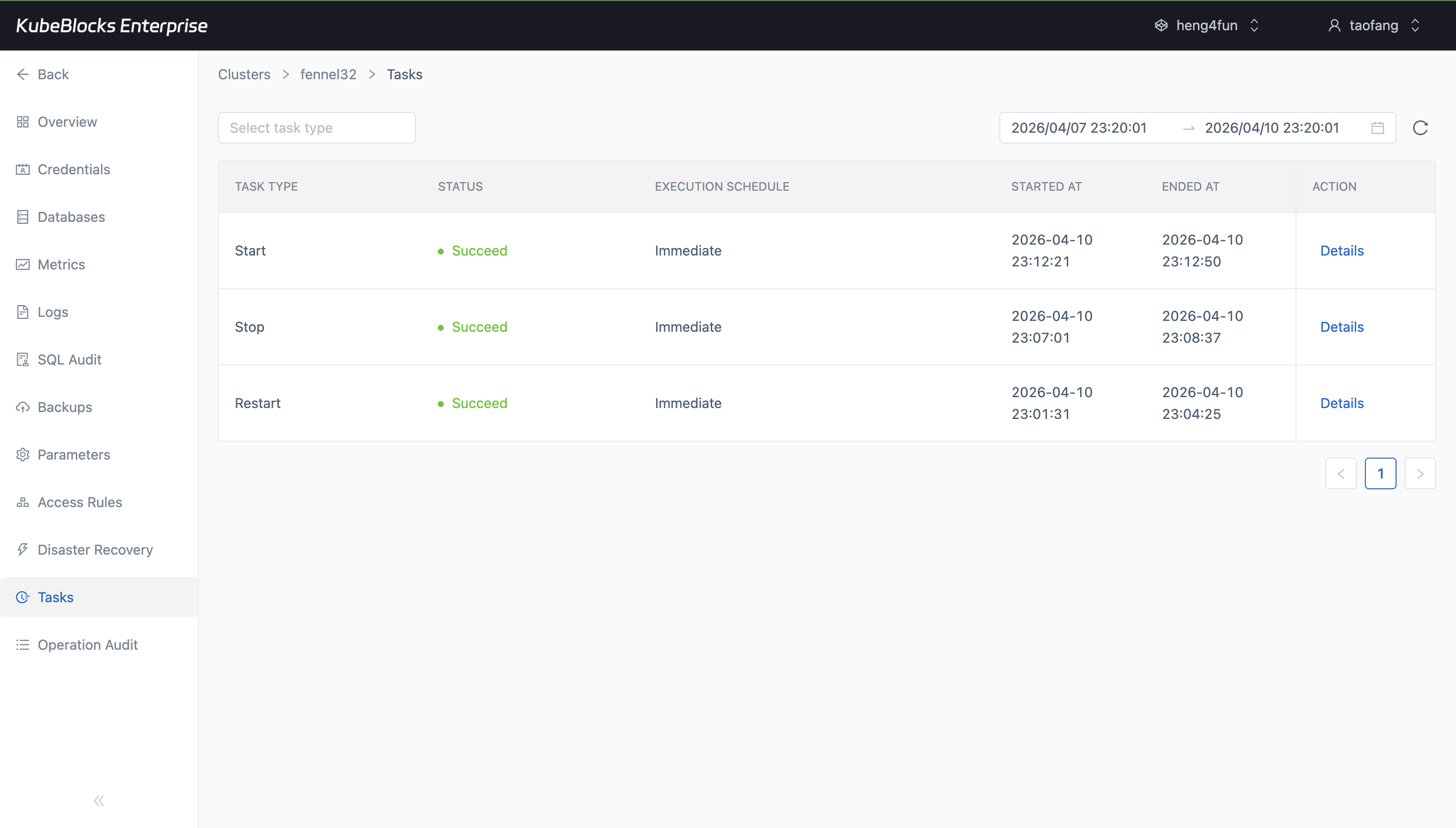
Task history turns SQL Server lifecycle activity into a clear operational record that is easy to review after maintenance windows.
Track operational history through succeeded task records
Review lifecycle and maintenance execution history so teams can confirm what happened, when it ran, and whether each SQL Server action completed successfully.
- See succeeded Restart, Stop, and Start records from the SQL Server Tasks page.
- Review execution schedule, start time, end time, and completion status in one place.
- Give platform and application teams a practical audit trail for routine service operations.
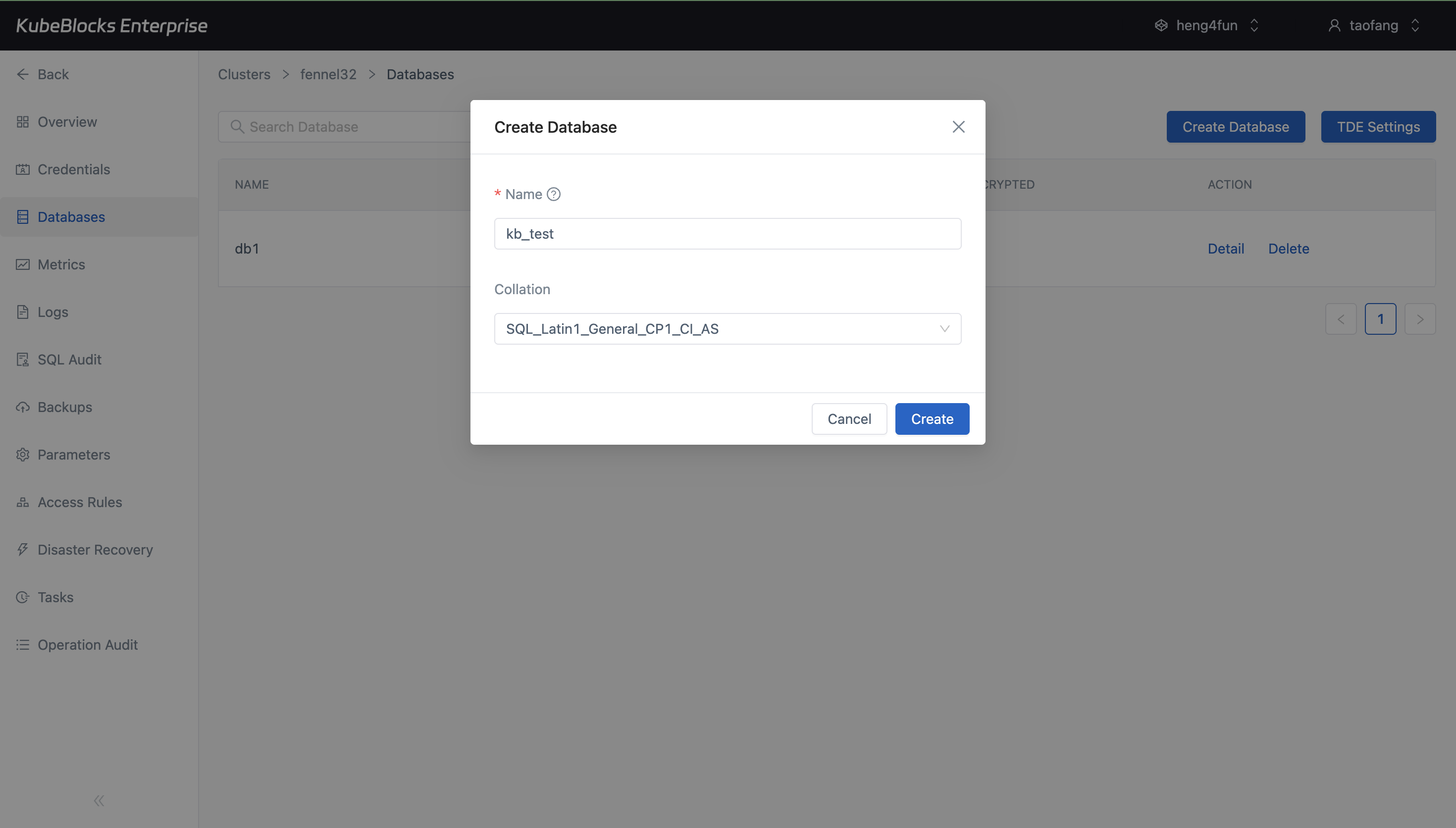
The Databases page shows new SQL Server databases as soon as they are created, making environment setup easier to verify.
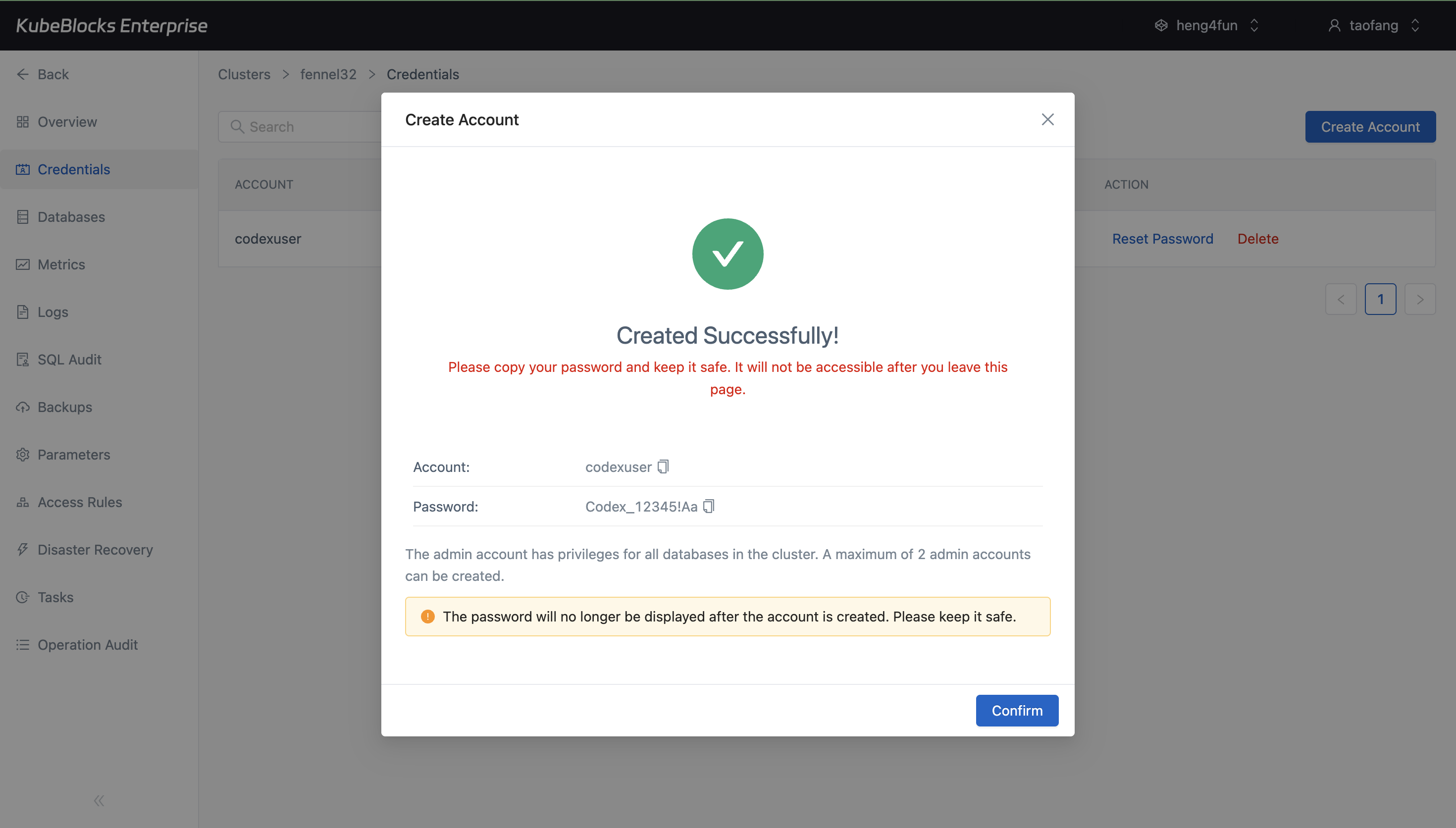
Credentials management helps teams provision SQL Server access quickly while surfacing the one-time password at account creation time.
Create databases and user accounts for application onboarding
Provision application-ready SQL Server resources from the console by creating databases and accounts without forcing teams into manual bootstrap scripts for every environment.
- Create databases directly from the Databases page and confirm they appear in the live catalog.
- Create SQL Server accounts from the Credentials page and capture one-time password delivery during onboarding.
- Give application teams a faster path from cluster creation to usable database access.
Ready to build your own DBaaS on Kubernetes?
Talk to our team and see how KubeBlocks Enterprise can help you consolidate databases, strengthen security, and reduce operational costs.